

Today is the day! — Nitrux 5.1.0 is available to download
We are pleased to announce the launch of Nitrux 5.1.0. This new version combines the latest software updates, bug fixes, performance improvements, and ready-to-use hardware support.
- ⚠️ Important: Despite the efforts and improvements in this and previous releases, we’re not claiming to be security or forensic experts or that the distribution is “impenetrable” or “unhackable,” so there is no misunderstanding. Suggestions for continuing to improve this area are welcome at our organization on GitHub (open a new discussion).
We recommend that new users do a fresh installation using the latest media. For users of the previous version (5.0.0), use the Nitrux Update Tool System.
Precision by Design
When we launched Nitrux 5.0, we stated clearly: ‘This is not for everyone.’
In the months since, the reaction has confirmed exactly why that distinction is necessary. We saw two distinct groups emerge. On the one hand, a loud minority expressed frustration that a system explicitly designed as a track weapon wouldn’t drive like a general-purpose city car. They wanted legacy support, mutable roots, and workflows that undermine system integrity. We heard you, and our answer remains: No.
On the other side, we found the drivers. The users who read the documentation, who understood the architecture, and who brought the correct hardware to the starting line. For these users, the experience is now faster and more secure than ever before, thanks to new and updated components.
This release codifies that distinction.
We are introducing the Hardware Compatibility Validation Layer (HCVL). We are no longer just asking you to check your requirements; we are validating them. A system built with intent should not silently accept conditions that undermine that intent.
We designed Nitrux for modern, physical hardware. We built it for atomic updates, containerized workflows, and native performance. If the environment fails to meet these conditions, the system will tell you—clearly and immediately.
We do this because precision demands strict boundaries. Said boundaries guarantee that every performance metric is native and real. And, by stripping away the dead weight of backward compatibility, we adhere to the principle of ‘Simplify, then add lightness.’
With this release’s improvements, we remove the ambiguity that leads to broken expectations.
Nitrux is not trying to be everything to everyone. It is trying to be itself; precisely, deliberately, and without ambiguity.
If the installer boots for you today, take it as a confirmation: Your hardware is ready, and so is the software.
Welcome to the track.
We thank our friends at Packagecloud for providing Nitrux Latinoamericana with the vital infrastructure needed to build our distribution.

Lightning-fast, secure, automated package management.
✨ Updates and Additions
We’ve updated the following components in the distribution.
- Linux kernel with CachyOS patches (by ferreo) to version 6.18.2.
- 🔰 Information: Both ISO images use the same kernel now. We will no longer use the Liquorix kernel (for good now).
- Hyprland and Hypr utilities to version 0.52.2.
- KDE Frameworks to version 6.20.0.
- Qt to version 6.9.2.
- Crystal Dock to version 2.16.
- PipeWire to version 1.4.9.
- Flatpak to version 1.16.1.
- Updated system optimizations, including:
- sysctl:
- Ensure memory is available for sudden allocations.
- Rename and rewrite
nx-envycontrol, our wrapper for Envycontrol. - NetworkManager:
- Update NetworkManager configuration to use dnscrypt-proxy by default.
- Add a NetworkManager dispatcher to dynamically adjust dnscrypt-proxy relays.
- Force NetworkManager to ignore DNS servers provided by DHCP.
- Disable dhcpcd in NetworkManager to remove DNS leaks and properly use dnscrypt-proxy.
- Force the 5 GHz band for Wi-Fi interfaces in NetworkManager.
- Disable background scanning in NetworkManager.
- OpenRC:
- Add a service to dynamically configure an SCX scheduler based on whether the system is running on AC or battery power.
- 🔰 Information: SCX is now the default process scheduler in Nitrux.
- Add a service to enable the AMD 3D V-Cache Optimizer on supported systems.
- ⚠️ Important: The Motherboard must support changing settings via AMD CBS (Centralized Boot Settings), including the CPPC (Collaborative Processor Performance Control) setting. It is essential to set “CPPC” or “CPPC Dynamic Preferred Cores” (labeling may vary by manufacturer) to DRIVER so the operating system can control core preferences via the AMD 3D V-Cache Optimizer device.
- Add a service to dynamically configure an SCX scheduler based on whether the system is running on AC or battery power.
- PAM and libpwquality:
- We’ve updated our security policies to align with the newly published NIST Special Publication 800-63B Revision 4. Previously, our password policies (forced complexity and 90-day rotation) followed long-standing industry best practices intended to maximize theoretical security when we implemented them in May 2023. However, the new NIST guidelines (last updated in Aug 2025) have confirmed that those rules actually make systems less secure in the real world. Forcing rotation and complexity just trains users to create predictable patterns. We are adopting the new scientific consensus: length and entropy supersede complexity and rotation.
- Hardened PAM configuration.
- Modules:
- Disabled ASPM (L1/L1SS) & Clock Request (rtw89).
- Disabled multiple power saving modes (rtw89).
- Bluez:
- Improve our Bluez configuration security and connectivity in the following ways:
- Enables RPA (Resolvable Private Address) resolution in the kernel, making it harder to track the device’s identity over time.
- Prevent “Just Works” (no PIN) pairing attempts from happening silently in the background; require user confirmation.
- Enforces strict security (SC) mode, rejecting legacy pairing methods that are easier to crack.
- Change the page scan parameters. The device listens for connections more frequently (interlaced scanning).
- Disabling the Bluez headset role and gateway to prevent Bluez from randomly using a low-quality codec.
- Sets strict timeouts so the device automatically stops broadcasting its existence after a few minutes, reducing the attack surface.
- Sets the controller to dual-mode, ensuring modern LE peripherals (such as newer mice and trackers) can connect alongside legacy devices.
- Enables UserspaceHID, which is necessary for many Bluetooth LE keyboards and mice to function correctly on newer kernels.
- Forces the Bluetooth controller to power on automatically when the service starts.
- Improve our Bluez configuration security and connectivity in the following ways:
- Unused net protocols:
- Use a central file to block ancient or server-specific network protocols (DCCP, SCTP, RDS, TIPC).
- Resource limits:
- Cap the number of processes per user to 30,000.
- Grants real-time priority and memory locking to the audio group.
- Assign resources for compatibility without exhaustion in Proton (Esync/Fsync).
- sysctl:
- Updated desktop configuration, including:
- Hyprland:
- Add new key binds to do the following:
- Restart Crystal Dock:
Super+Shift+D - Restart (enable) Systray:
Super+Shift+S - Restart Waybar:
Super+Shift+W - Grimshot [Window selection]:
Shift+P - Use multimedia keys to control media sources (play/pause, next, and previous).
- Restart Crystal Dock:
- Disable the “Application Not Responding” dialog in Hyprland.
- Add and organize environment variables.
- Ensure Hyprland applies blur to windows that support transparency.
- Decrease the size of the gaps.
- Add new key binds to do the following:
- Hyprlock:
- Slightly redesigned the layout to provide a battery indicator (where supported) and media player information via MPRIS.
- Crystal Dock:
- Update configuration files to new keys in 2.16.
- Waybar:
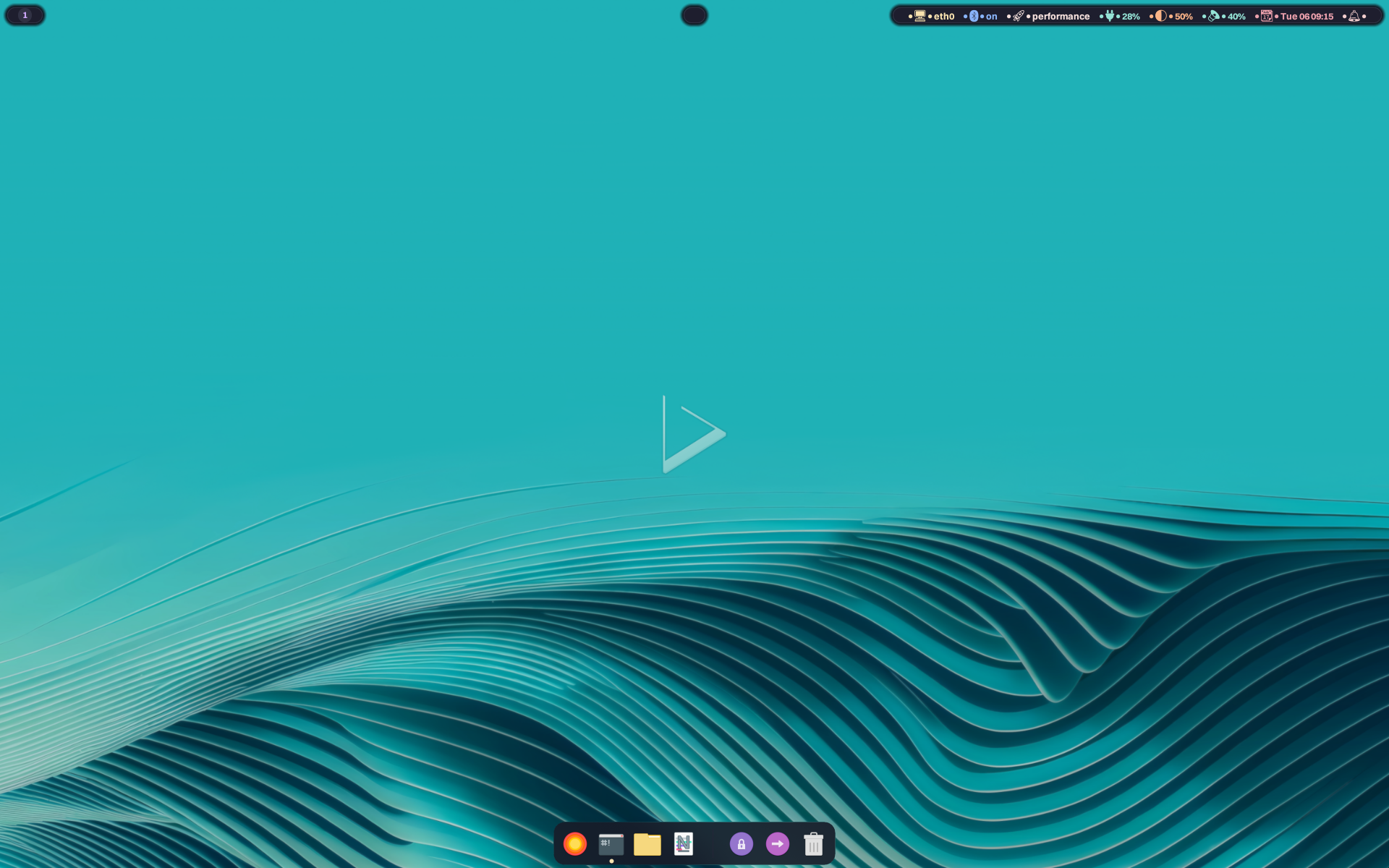
- Revamped Waybar with a modern floating “island” design, separating modules into rounded containers with updated iconography and a cohesive color palette for improved visual cohesion.
- Wofi:
- Refined Wofi’s theme by replacing sharp corners with rounded geometry across the main window, search field, and selection highlights.
- Grimshot:
- Grimshot now supports window selection for screenshots.
- GameMode:
- Configure GameMode to use its heuristics to pin and park cores on AMD 3D V-Cache processors and Intel processors with P/E cores.
- Ensure the KDE Secrets Daemon (Password storage) runs on login.
- Ensure that the LibreOffice install script creates an application launcher.
- Ensure that NVIDIA-specific environment variables for their drivers are loaded only when NVIDIA hardware is present.
- Tune Bluez in Wireplumber to disable the headset profile and expose only high-quality codecs.
- Tune Pipewire for a reasonably low-latency profile.
- Hyprland:
- NX AppHub CLI, daemon, and app definitions to version 1.0.0:
- NX AppHub CLI
- Search & Repository Management
- Fixed search function
- Added ensure_repo_updated() to centralize repository clone/update logic
- Fixed invalid repository detection and prevented accidental deletion of backups/ directory
- Sandbox Improvements
- Refactored sandbox.py with safer quoting and consistent Path usage
- Fixed Bubblewrap sandbox block adding double quotes
- Corrected bwrap flag handling and unified environment variable handling
- Fixed missing keys in the sandbox configuration
- Fixed Firejail profile generation and quoting of profile paths
- Installation & Package Management
- Improved version parsing and installation flow
- Added termination check when the package doesn’t exist during download
- Fixed spacing on successful installation
- Error Handling & Code Quality
- Improved extractor and downloader error handling and archive detection
- Added exception chaining (from e) throughout codebase
- Cleaned up redundant code and improved lint compliance
- Improved output formatting
- Bug Fixes
- Fixed double-count bug in the show() function
- Reverted using shlex
- Various minor correctness issues resolved
- Cleaned up apprun header
- Search & Repository Management
- NX AppHub Daemon
- Desktop Integration & File Management
- Enforced XDG-compliant directory layout: moved icons to $XDG_DATA_HOME/icons/nx-apphub for safer isolation and predictable cleanup
- Used consistent, sanitized base names across desktop files, icons, and aliases to prevent mismatches and ensure reliable startup scanning
- Improved desktop file rewriting: removed unsupported quotes around Exec/TryExec for strict spec compliance
- Enhanced extraction directory naming using sanitized stems to avoid filesystem issues
- Notifications & User Experience
- Added notifications when an app is installed or removed
- Updated README and improved notification text
- Improved out-of-the-box experience by adding the aliases path on the first run
- Safety & Reliability
- Added ELF signature validation before running AppBoxes to prevent executing non-binary files
- Replaced unsafe os.chdir() usage with cwd= parameter in subprocess calls to avoid global working-directory races in threaded extraction
- Fixed a crash when files are still in use disk upon detection
- Cleanup & Stale Entry Detection
- Improved detection of existing integrations and stale entries
- Enhanced removal of stale desktop files and icons using quote-stripping-tolerant Exec parsing
- Improved cleanup of stale aliases with safer pattern matching
- Alias Management
- Ensured alias names use sanitized base names
- Guaranteed thread-safe writes using locks
- Strengthened overall alias logic
- Code Quality
- Added class-level documentation for AppBoxHandler
- Improved integration logic, sanitization, safety, and cleanup behavior throughout nx-apphubd
- Desktop Integration & File Management
- NX AppHub CLI
- Nitrux Update Tool System to version 2.2.7.
- Architecture & Refactoring
- Extract core utility functions (such as logging, spinners, and overlay management) from the main executable into a shared library.
- The restore command has been completely removed from the supported operations, leaving only update, rescue, and self-update.
- Robustness & Safety Enhancements
- We implemented a file locking mechanism (flock) to prevent multiple instances of the update tool from running simultaneously.
- The update process now includes a robust reboot sequence that uses Magic SysRq triggers to force an immediate sync of dirty buffers before rebooting, ensuring data integrity even if the userspace hangs.
- The rescue operation now actively scans for duplicate root partition labels. If multiple devices with the same label are detected (e.g., an external backup drive), the tool aborts to prevent restoring data to the wrong drive.
- Usability & User Experience
- The tool now pre-scans arguments, allowing the
--helpand--versionflags to run without requiring root privileges (sudo), improving accessibility for general queries. - The execution of internal components now filters out noise, such as “mount point is busy” warnings, making the logs and terminal output cleaner.
- The tool now pre-scans arguments, allowing the
- Bug Fixes & Logic Improvements
- We updated the logic for resolving the root partition to prioritize finding the source of the read-only root in overlayfs before falling back to root, ensuring more accurate identification of the device to back up.
- When running a rescue operation, the tool now explicitly wipes the target mount point before restoring the backup, ensuring no conflicting files remain.
- Architecture & Refactoring
- Kernel Boot to version 1.0.0.
- Make Kernel Boot more robust, safer, and validate variables.
- Add error checking to ensure kexec stops immediately if the kernel fails to load.
- SB Manager to version 0.0.4
- New Features
- Add a documentation header that explains the script’s requirements and purpose.
- Add
overlay_mount_dev()function for smart /dev mounting with state tracking. - Add
overlay_mount_dev()function for conditional unmounting. - Add OVERLAY_DEV_WAS_MOUNTED variable to track mount state for cleanup.
- Add an early pkexec authentication prompt to improve the user experience.
- Add automatic kernel backup with .unsigned extension before signing.
- Add a check to skip backup creation if the backup already exists.
- Add TTY detection to ensure mokutil can run interactively.
- Add a validation check for the selected kernel file’s existence after the user selects it.
- Error Handling Improvements
- Add error checking to the
mokutil --sb-statecommand with a fallback message. - Add error checking for /dev mount operation inside overlayroot-chroot.
- Add error checking for OpenSSL key generation (req command).
- Add error checking for OpenSSL certificate conversion (via the x509 command).
- Add error checking for chmod operations on MOK files.
- Add error checking to the kernel backup creation process with a clear error message.
- Add error checking for the sbsign operation.
- Add error checking for mokutil enrollment, including a TTY requirement notice.
- Add conditional notify-send in dependency check to prevent errors.
- Add conditional notify-send in SB_STATE check to prevent early failures.
- Add error checking to the
- Security & Code Quality
- Improve OpenSSL config file generation using mktemp and the install command.
- Replace nested bash heredocs with a safer temporary-file approach.
- Simplify MOK generation using individual pkexec commands instead of a nested script.
- Add explicit error handling for permission setting on MOK files.
- Expand dependency list to include all utilities (awk, grep, mountpoint, sed, tr, sort, find, mktemp, install, cp, mv, rm).
- Mount & Cleanup Management
- Add an EXIT signal to trap for proper cleanup on normal exit.
- Improve
cleanup_manager()to handle both /dev and /var/lib unmounts. - Add explicit manual cleanup before final success notifications.
- Remove /dev mount from main flow (now handled by overlay_mount_dev).
- Variable & Parsing Improvements
- Add quote stripping for CURRENT_DIST from os-release.
- Add quote stripping for PRETTY_DIST from os-release.
- Improve SB_STATE parsing using awk and tr instead of grep -P for portability.
- Add
2>/dev/nullto the findfs command to suppress stderr noise. - Add
2>/dev/nullto find the command to suppress stderr noise. - Add an inline comment for the OVERLAY_DEV_WAS_MOUNTED variable’s purpose.
- User Experience
- Improve mokutil invocation with proper TTY redirection (< /dev/tty > /dev/tty).
- Add a warning message when the kernel backup already exists.
- Add
--titleparameter to the final kdialog message for consistency. - Reorganize to check dependencies before showing the welcome dialog.
- Bug Fixes
- Fix the indentation of the
unmount_directory()function to be consistent. - Fix typo: “succesfully” → “successfully” in the final notification.
- Remove redundant “Error:” prefix in overlay_ch error message.
- Fix the indentation of the
- New Features
- NX Overlayroot to version 0.52.3.
- Eliminate the A && B || C pitfall by using an explicit
if … then … elseso that the “fail” branch runs only when the mount command fails. - Suppressed noisy “mount point is busy” system errors.
- Downgraded “ERROR” to “WARNING” when read-only remount fails, as this is expected behavior with the OverlayFS driver.
- Logs user activity and commands for permanent record to the file:
<lowerdir>/var/log/overlayroot-audit.logand to/var/log/syslog(RAM) for real-time monitoring.
- Eliminate the A && B || C pitfall by using an explicit
- Calamares configuration:
- Fix typo in module name in bootloader.conf.
- Ensure that we only delete the desktop launcher we’re installing.
- Optimize initramfs generation to speed up boot initialization.
We’ve added the following components to the distribution.
- NX Dynamic PPD: A userspace daemon that dynamically adjusts the system’s power profile based on the current power source (AC adapter vs. Battery) and the remaining battery capacity.
- NX Battery Notify: A userspace battery monitor daemon designed to provide actionable notifications regarding battery state, health, and charging habits. Unlike simple monitors that only warn of low power, our implementation emphasizes battery longevity by suggesting charge limits and monitoring health.
- ADIOS (Adaptive Deadline I/O Scheduler): A block-layer I/O scheduler for the Linux kernel, designed for modern multi-queue block devices (blk-mq). It aims to provide low-latency I/O by combining deadline scheduling principles with a learning-based adaptive latency control mechanism.
- 🔰 Information: This addition includes adiosctl and udev rules for using ADIOS with rotational, non-rotational, and non-virtual devices.
- 🔰 Information: ADIOS is now the default I/O scheduler in Nitrux.
- Firewalld: A dynamically managed firewall with support for network/firewall zones that define the trust level of network connections or interfaces.
- 🔰 Information: Firewalld is now the default firewall in Nitrux, replacing UFW.
- Cinderward: A simple, no-nonsense, init-agnostic, Wayland-friendly GUI for firewalld built with MauiKit that provides an intuitive interface for managing day-to-day firewall rules without the complexity of firewalld’s command-line tooling.
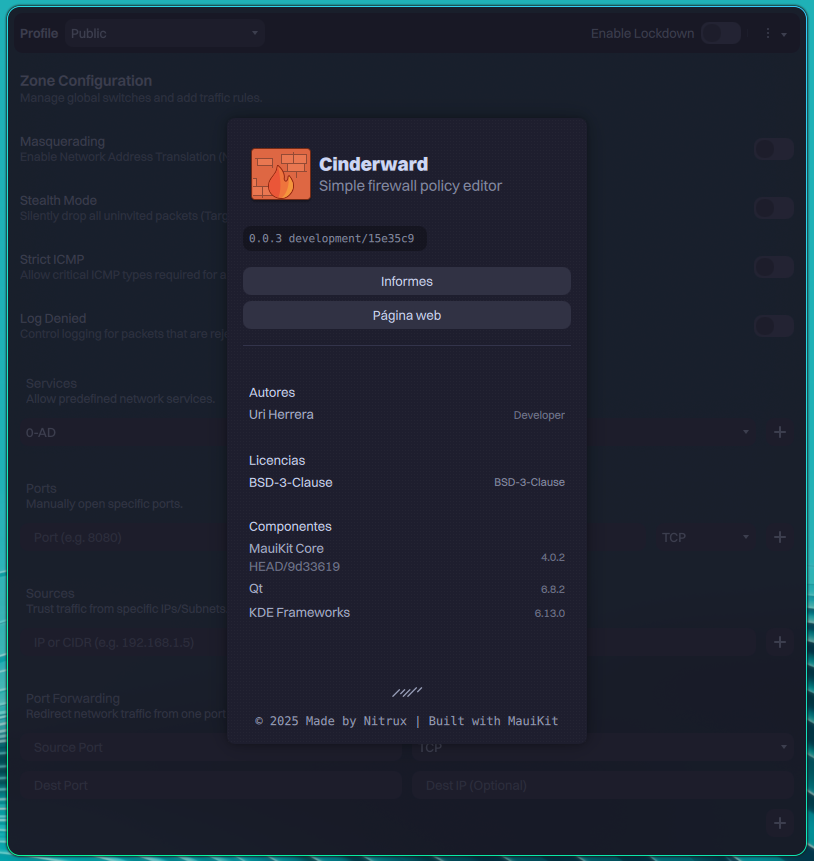
Cinderward, a GUI for firewalld.
- Noto Sans Emoji, Nerd Fonts Symbols, and fonts for Japanese, Korean, Chinese (Simplified), Chinese (Traditional), Thai, and Vietnamese.
- 🔰 Information: The additional fonts will improve the readability of the NX AppHub CLI and the ZSH theme we use.
- Wirecloak: A modern, native WireGuard VPN client for Nitrux, built with MauiKit. It provides a user-friendly interface for managing VPN tunnels while securely integrating with the system’s immutable root filesystem.
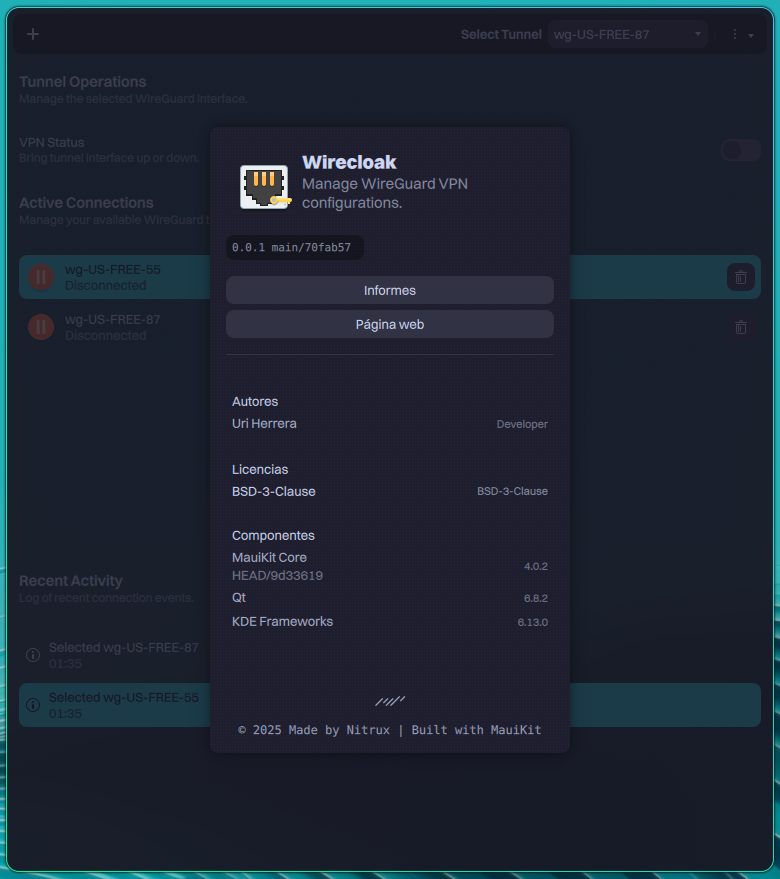
Wirecloak, a GUI for using WireGuard.
- Playerctl: A command-line utility and library for controlling media players that implement the MPRIS D-Bus Interface Specification.
- Hardware Compatibility Validation Layer (HCVL): A framework that ensures that Nitrux runs in a predictable, supportable, and well-understood environment. It reduces ambiguity by validating four key areas:
- CPU capability validation:
- HCVL ensures the system runs only on processors that support the required instruction set. If the requirement fails, the system stops early in boot and explains why. Early validation prevents users from running into subtle breakage later.
- GPU and ISO alignment:
- HCVL verifies that the hardware graphics stack matches the ISO variant (Mesa or NVIDIA). If it detects a mismatch, HCVL informs the user early before the graphical session starts. Early notification avoids confusing failures and improves support clarity.
- Environment and resource awareness:
- HCVL detects virtualized environments and low-resource systems and clearly communicates compatibility requirements. Clear communication ensures that feedback, diagnostics, and performance impressions reflect the environment Nitrux targets.
- Workflow clarity and system-model consistency:
- HCVL intercepts unsupported host-level workflows (such as legacy package managers or unmanaged binaries) and explains alternatives. Interception prevents accidental misuse and helps maintain the integrity and reliability of the system.
- CPU capability validation:
We’ve fixed the following issues in the distribution.
- Fix an issue where selecting “Install Nitrux” from the applications launcher didn’t start Calamares.
- Fix an issue where SB Manager didn’t work because KDialog was missing from the default installation.
- Fix an issue where launching Wofi would spawn multiple overlapping instances.
- Fix an issue where XWayland didn’t work when the user didn’t select autologin in Calamares during installation.
- Fix an issue where Calamares does not support enabling compression in F2FS even though it’s configurable in the modules files by providing our own ‘mkfs.f2fs’ implementation.
- Fix an issue where launching Wlogout would spawn multiple overlapping instances.
- Fix an issue where launching Grimshot would spawn multiple overlapping instances.
- Fix an issue where Bluetooth audio often stuttered when Wi-Fi was active due to the latest upstream firmware for the Realtek RTL8852CE.
- Fix an issue where iso-tool didn’t add Flathub as a system remote.
- Fix an issue where the firmware file required by xone stopped working.
- Fix an issue where udev rules wouldn’t refresh fast enough, causing some devices to not load on time.
🗑️ Removals and Deprecations
We’ve removed the following components from the distribution.
- SwayOSD.
- Multiple unused SysV service scripts that were still lingering from upstream Debian packages.
- nwg-displays.
- 🔰 Information: We removed nwg-displays because Nitrux manages screen resolution, refresh rate, and external screens automatically via Hyprscreend.
- Seatd.
- Tini.
- UFW.
- Plasma Firewall.
- 🔰 Information: We removed Plasma Firewall due to its requirement for systemd to provide full functionality.
- Legacy BIOS support.
- 🔰 Information: We removed support for GRUB to boot on Legacy BIOS hardware. UEFI became standard around 2011-2012. By the time AVX2-capable processors were available (2013+), all consumer-grade motherboards supporting them had UEFI.
📥 ISO Download
Here are different ways to download our ISOs.
- ISO (cachy-nvopen) — Direct HTTP Download from our server.
- ISO (cachy-mesa) — Direct HTTP Download from our server.
Third-party download mirrors:
Check our documentation to verify the integrity and authenticity of the ISO file.
- Import our public key using the command below.
- 🔰 Information: Remove the old one from your keyring before adding the new one.
gpg --keyserver keyserver.ubuntu.com --recv-keys 4B9AC6E0DC32598D1352A2269BADD780C10AA9DB
📝 Changelog History
To see a list of previous changelogs, click here for the changes archived at our site or for the changes archived at Sourceforge.
📢 PSA (Post-release Service Announcements)
Here’s a list of post-release service announcements for Nitrux.
🚀 Get Involved
Everyone can participate in the Nitrux community on many levels, from advising fellow Nitrux users to becoming a maintainer. Any contribution, even the smallest, is valued. To start contributing to Nitrux, click here.