

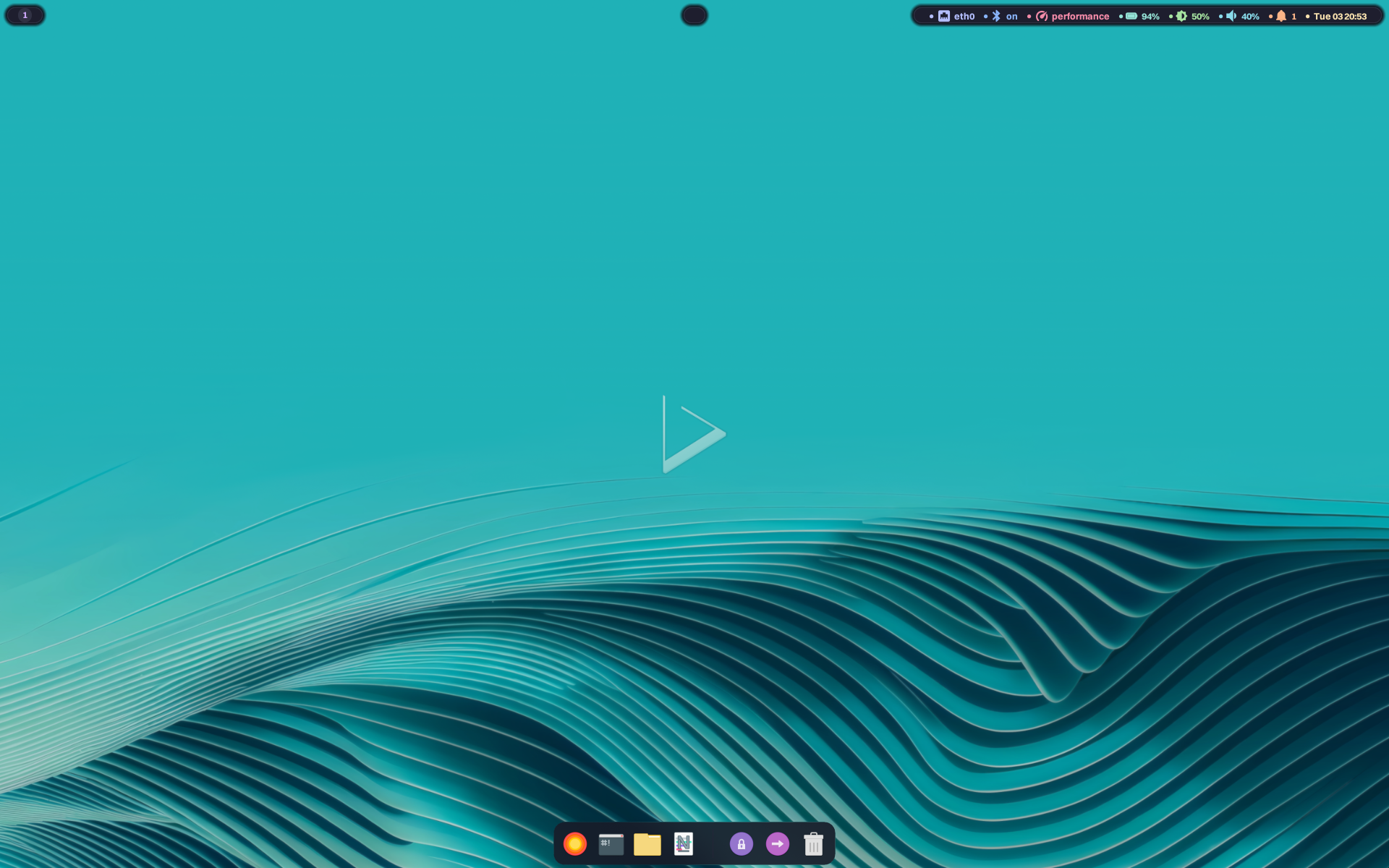
Today is the day! — Nitrux 6.0.0 is available to download
We are pleased to announce the launch of Nitrux 6.0.0. This new version combines the latest software updates, bug fixes, performance improvements, and ready-to-use hardware support.
- ⚠️ Important: Despite the efforts and improvements in this and previous releases, we’re not claiming to be security or forensic experts or that the distribution is “impenetrable” or “unhackable,” so there is no misunderstanding. Suggestions for continuing to improve this area are welcome at our organization on GitHub (open a new discussion).
We recommend that new users do a fresh installation using the latest media. For users of the previous version (5.1.0), use the Nitrux Update Tool System.
Consequence of Intent
Nitrux 6.0.0 continues our uncompromising vision of a Linux workstation. We do not design software to coddle legacy habits or emulate other operating systems. We engineer for the enthusiast who demands complete leverage over their hardware and understands that true stability comes from a rigidly defined, immutable core.
With this release, we transition from defining the architecture to perfecting its native execution.
You invest in powerful hardware to use it, not to let it sit idle. We developed VxM to push hardware utilization to its logical extreme. As a specialized hypervisor orchestrator, VxM runs operating systems with near-native performance directly from your Nitrux host.
A specialized system requires specialized infrastructure. We formalize what has long been true in practice: we develop Nitrux components in C++, Python, and Shell Script, selecting each according to architectural weight, performance sensitivity, and system depth. C++ defines the performance-critical core. Python orchestrates structured tooling. Shell Script binds lifecycle operations where simplicity and directness matter. MauiKit remains the foundation for every interface that demands modern graphical precision.
We rewrote the Nitrux Update Tool System from the ground up to improve performance, cohesion, and long-term maintainability. Continuing our replacement of legacy components, we introduce QMLGreet and NudgeOSD, native interfaces designed explicitly for our Wayland architecture.
Our pursuit of technical autonomy means you never rely on external lifelines. An immutable system must sustain itself. Rescue Mode is integrated directly into the local boot process. Recovery is immediate. Continuity is native.
We stripped away the dead weight to give you a track weapon. Now, the pit crew is part of the machine.
Nitrux respects your hardware, enforces architectural discipline, and gives you the exact tools required to push the limits.
You are in the right place.
We thank our friends at Packagecloud for providing Nitrux Latinoamericana with the vital infrastructure needed to build our distribution.

Lightning-fast, secure, automated package management.
✨ Updates and Additions
We’ve updated the following components in the distribution.
- Linux kernel with CachyOS patches (by ferreo) to version 6.19.2.
- Hyprland to version 0.53.3.
- All the included Hypr utilities, Hyprlock, Hyprpaper, Hypridle, and Hyprsysteminfo are also updated.
- Flatpak to version 1.16.2.
- NVIDIA Open Kernel Module to version 590.48.01.
- ⚠️ Important: The 590 series of the NVIDIA Open Kernel Module only supports Turing and newer architectures.
- MESA 3D Graphics Library to version 25.3.3.
- NetworkManager to version 1.54.3
- Python to version 3.13.9.
- scx Scheduler and utilities to version 1.0.20.
- Wireplumber to version 0.5.13.
- Calamares to version 3.3.14.
- SwayNC to version 0.12.4.
- Updated system optimizations, including:
- Kernel:
- Prevent the NVMe drive from entering the deepest power-saving states, eliminating the wake-up timeout and drastically reducing boot time.
- sysctl:
- Prevent the system from modifying its routing table based on unauthenticated network messages.
- Elogind:
- Update elogind sleep configuration to current standards.
- Add NVIDIA hardware detection to the nvidia-sleep hook to prevent errors on non-NVIDIA systems.
- Ensure we use the latest resolvers for dnscrypt-proxy.
- Initramfs:
- The initrd now includes the exfat driver for early boot.
- Replace upstream’s update-initramfs with our improved, dpkg-less-non-dependent version.
- Remove upstream’s initramfs microcode hooks and replace them with ours.
- Kernel:
- GRUB configuration:
- The theme now uses the Terminus font instead of Deja Vu Bold.
- Clean up and update the main theme file (theme.txt).
- Remove the nomodeset option from the Live ISO, since it didn’t work with a Wayland compositor anyway.
- Update the HCVL framework to use clearer language and more actionable steps.
- Updated desktop configuration, including:
- Hyprland:
- Update window rules to the new v3 syntax.
- Enable Hyprsunset on login and add the default configuration.
- Change the default window animations to slide from left or right when opening a window, and to slide down when closing a window.
- Update volume and brightness key binds to use NudgeOSD.
- Add window rules for NudgeOSD.
- Add new key binds to do the following:
- Restart SwayNC:
Super+Shift+W
- Restart SwayNC:
- Hyprpaper:
- Update syntax for new version.
- Hyprlock:
- Update the configuration to display the following information:
- Power source and battery charge, if applicable.
- Larger user avatar.
- User’s real name.
- Match the text input’s appearance to QMLGreet for consistency.
- Media player information with better readability and spacing.
- Resource monitor displaying CPU, RAM, and network usage.
- Enable the PAM module.
- Update the configuration to display the following information:
- SwayNC:
- Clean up the configuration and CSS files to prevent display issues.
- Waybar:
- Update the Waybar configuration file to use the Noto Sans Emoji font for improved readability and consistency with other UI elements that use it, such as Hyprlock.
- Update Waybar CSS to use complementary colors instead of random selections.
- Make autostart-pipewire more robust so it can properly initialize the sound server and play a login sound to confirm.
- Update Plasma Monitor configuration files so that it loads widgets properly, and prevents loading pages that do not work in Nitrux, i.e., the Applications page, which requires systemd.
- Hyprland:
- Distrobox to version 1.8.2.4.
- NX AppHub CLI, daemon, app definitions, and wikis:
- NX AppHub CLI:
- Remove tqdm and use Rich to provide a nicer TUI.
- Use generic terminology in messages.
- Ensure the system PATH is preserved in the AppRun so that child processes can run.
- Support custom scripts in app/scripts to handle complex initialization workflows.
- NX AppHub Apps:
- Cleaned up outdated YAML files.
- Added examples of WMs and DEs as AppBoxes.
- NX AppHub Wikis:
- Improved documentation for CLI, Apps, and Daemon.
- Clarify terminology used in the wikis.
- NX AppHub CLI:
- Tooling and packaging:
- Ensure that both ISO images use the same common base during build.
- Centralize HCVL framework scripts in a single package to make maintenance easier.
- Other:
- Use a simpler versioning scheme in our base-files package, removing the build.XXYYZZ suffix.
We’ve added the following components to the distribution.
- QMLGreet: A modern, lightweight greeter (login screen) designed for greetd and built with MauiKit and C++ to deliver a polished, consistent user interface. QMLGreet runs natively on Wayland compositors (such as Hyprland or Sway) using the Layer Shell protocol.
- Features
- Wayland-native:
- Integrates seamlessly with wlroots-based compositors via the wlr-layer-shell-unstable-v1 protocol.
- Configurable:
- Customize the look and feel via
/etc/qmlgreet/qmlgreet.conf. - Supports standard color schemes (KDE style).
- Configurable font family and base font size.
- Support for custom icon themes.
- Set custom wallpapers with automatic blur effects.
- Customize the look and feel via
- Session Management:
- Automatic discovery of Wayland sessions from XDG data directories.
- Filters out hidden sessions.
- Direct D-Bus integration with logind or elogind.
- Dynamically hides system actions unsupported by the host hardware.
- Native battery monitor showing percentage and charging status (visible only when a battery is detected).
- Performance:
- Optimized C++ backend.
- Wayland-native:
- 🔰 Information: QMLGreet replaces QtGreet in Nitrux. Additionally, QMLGreet does not require systemd.
- Features
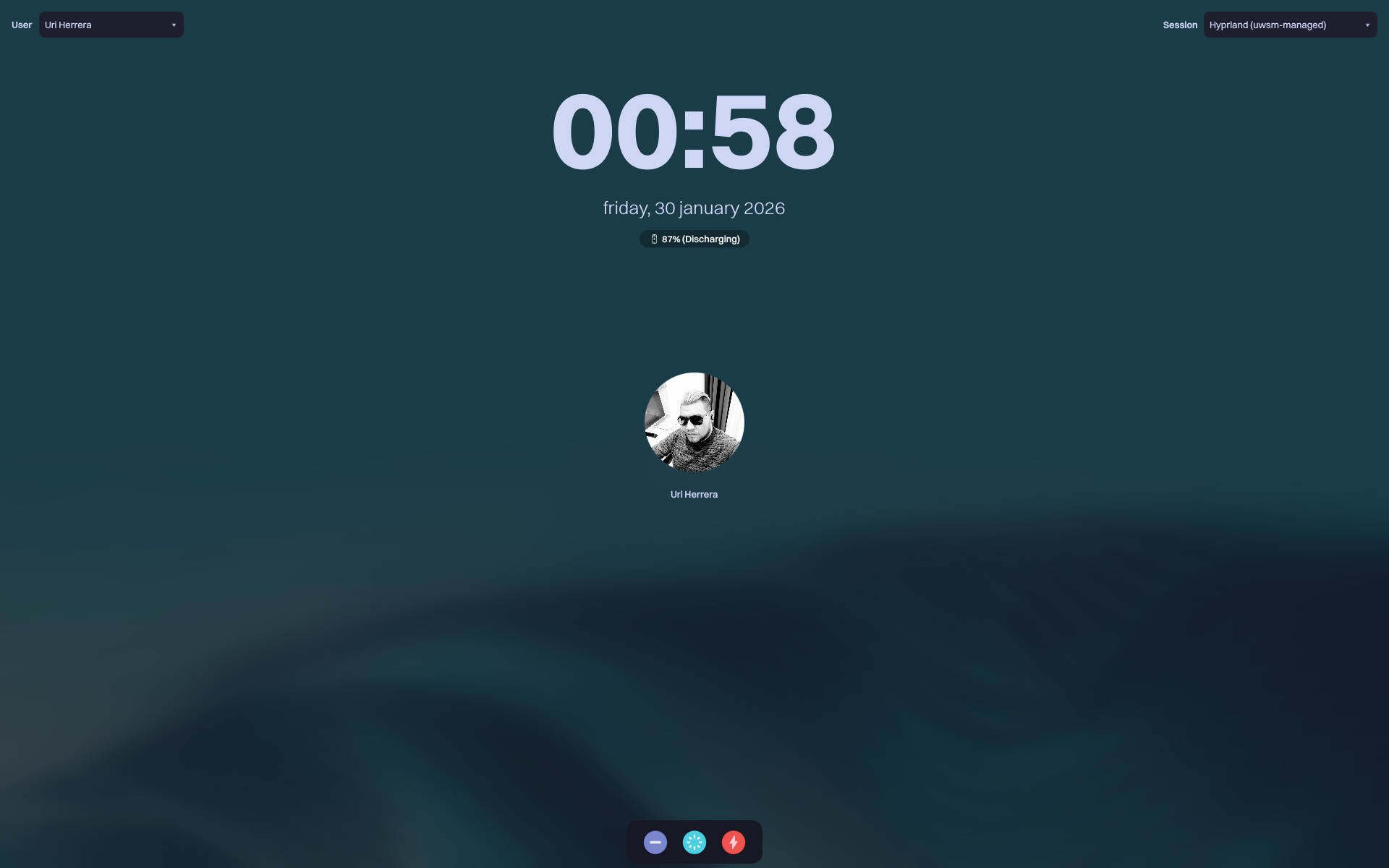
QMLGreet, a QML-based greeter.
- NudgeOSD: A QML-based on-screen display for keyboard shortcuts and system notifications designed for Wayland compositors and built with C++, MauiKit, and LayerShell-Qt.
- Features:
- Supports either the system icon theme or Nerd Fonts for displaying icons.
- Supports standard color schemes (KDE style).
- Direct D-Bus integration. The application will start in the background and listen for DBus commands.
- Features:
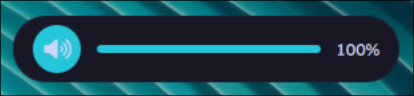
NudgeOSD, a QML-based on-screen display.
- VxM: A hypervisor orchestration utility for Nitrux, engineered in C++ to enable concurrent, hardware-accelerated guest execution on multi-GPU workstations. Leveraging VFIO PCI passthrough, it enforces IOMMU isolation to dedicate discrete graphics resources to guest domains. This architecture circumvents virtualization overhead and emulation layers, granting the guest OS direct hardware control for bare-metal performance characteristics within Nitrux’s immutable infrastructure.
- Features:
- Evdev Input Arbitration:
- Implements zero-latency input-linux passthrough with interrupt handling.
- Dynamic VFIO Binding:
- Runtime driver override to vfio-pci with automatic host rebinding, BDF normalization, and IOMMU group validation.
- DDC/CI Automation:
- Writes VCP commands to the monitor bus to trigger input source switching on VM state changes.
- Latency Optimization:
- Auto-provisions hugepages and initializes IVSHMEM for low-latency frame relay.
- Firmware/TPM Lifecycle:
- Heuristic detection for matching OVMF CODE/VARS pairs and managed swtpm socket execution for guest OS compatibility.
- Rootless Model:
- Unprivileged QEMU execution with privileged pre-flight hardware preparation.
- Evdev Input Arbitration:
- 🔰 Information: For more information, read the VxM wiki. We plan to make a GUI built with MauiKit to offer greater configurability, with VxM as the backend.
- Features:
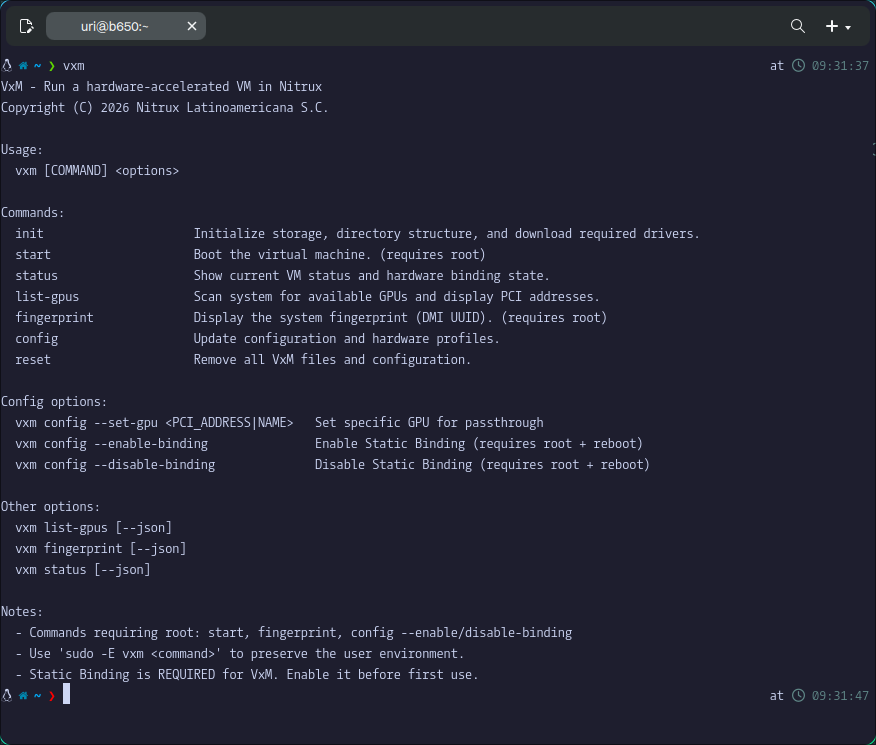
A hypervisor orchestration utility for Nitrux.
- Nitrux Update Tool System (C++), a.k.a. nuts-cpp: A complete modernization of our system update infrastructure. This implementation replaces the Shell Script orchestration with a robust client-server architecture in C++, featuring a convergent MauiKit interface for a seamless user experience and deep PolicyKit integration to ensure all privileged operations are securely authorized. Under the hood, the new Agent significantly enhances reliability, guaranteeing atomic operations and safe shutdowns even during complex updates.
- Features:
- Uses atomic updates to ensure transaction integrity.
- Like the original, integrated XFS support automatically creates fast, compressed system snapshots and offline rollbacks.
- Enhanced security using cryptographically verified metadata and PolicyKit, which strictly gates actions.
- Features:
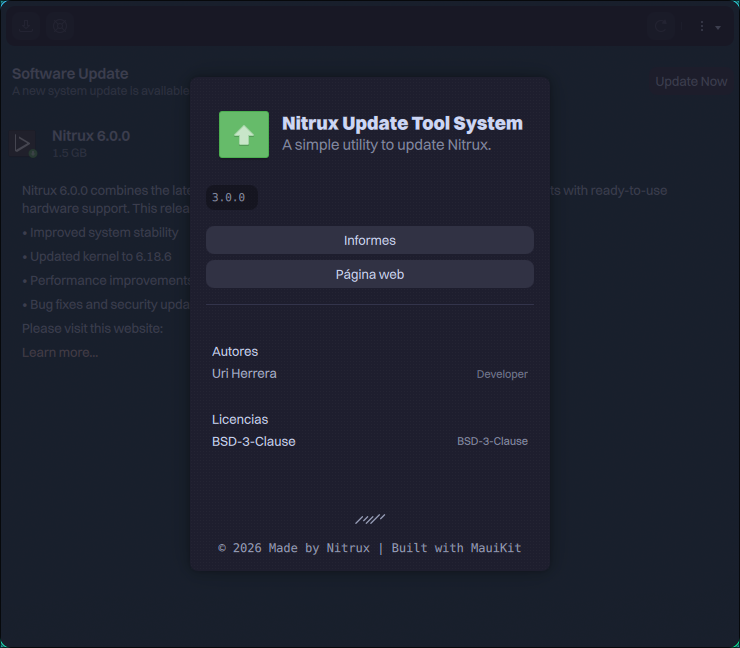
C++ and MauiKit rewrite of the Nitrux Update Tool System.
- Nitrux Rescue Mode: An automated, initramfs-based recovery mechanism designed to restore (rollback) the system to a known good state without external media.
- Features:
- It uses the cryptographically verified XFS backup created by NUTS to wipe and re-image the root partition, ensuring a clean restoration even in the presence of filesystem corruption.
- Post-restoration, it automatically regenerates the bootloader configuration to maintain bootability, allowing users to seamlessly roll back their system to the last working snapshot directly from the boot menu, eliminating the need for a Live ISO or a USB drive.
- Features:
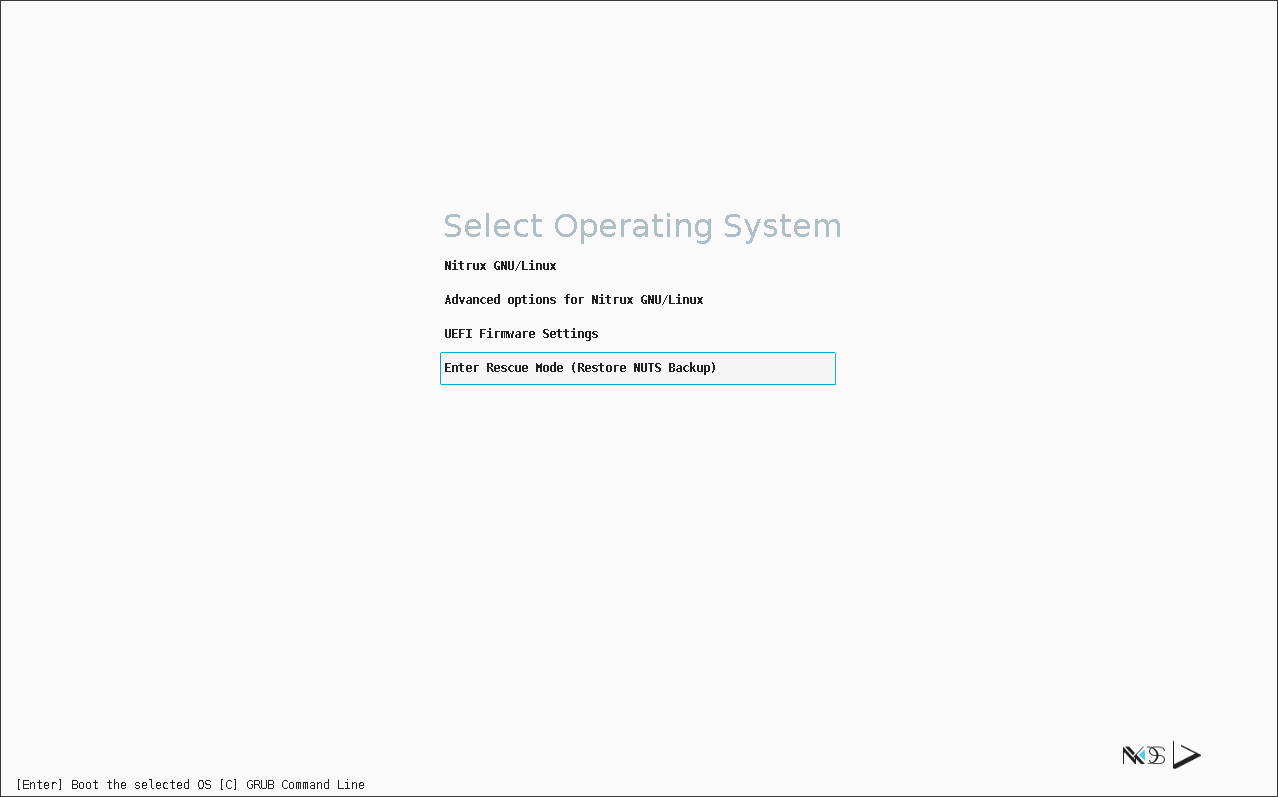
Nitrux Rescue Mode in GRUB.
- We’ve added a GRUB entry labeled “Intel Xe Mode,” a driver selection override that allows supported Intel iGPUs and Intel Arc GPUs to prefer the new Intel xe driver over the i915 driver.
- By using the new Intel xe driver, users can expect the following:
- Better scheduling behavior.
- Improved power management.
- Fewer crashes on newer platforms.
- Better future compatibility.
- ⚠️ Important: Read the following support list for using the Intel xe driver.
- Supported:
- Gen12 (Xe-LP).
- Meteor Lake (Xe-LPG).
- Lunar Lake and Xe2.
- Not Supported:
- Anything pre-Gen12, such as:
- Gen11 (Ice Lake).
- Gen10 (Cannon Lake)
- Gen9 / 9.5 (Skylake, Kaby Lake, Coffee Lake).
- Etcetera.
- Anything pre-Gen12, such as:
- Supported:
- By using the new Intel xe driver, users can expect the following:
- ALSA Use Case Manager configuration (alsa-ucm-conf).
- Hyprsunset: A small utility to provide a blue light filter for your system.
- Looking Glass (kvmfr) kernel module for low-latency VM windowing.
We’ve fixed the following issues in the distribution.
- Fix a race condition in autostart-kde-polkit that caused the Systray not to be visible on Waybar by default.
- Fix the issue with Kup Backup not working due to bup being missing.
- Fix an issue where the binary required to create NVIDIA device nodes was missing.
- Fix an issue where the D-Bus configuration file for NVIDIA Dynamic Boost was missing.
- Fix a typo in Cinderward’s About dialog window.
- Fix an issue with character rendering in an HCVL framework script.
🗑️ Removals and Deprecations
We’ve removed the following components from the distribution.
- QtGreet and our settings for it.
- NUTS (Shell implementation) and our settings for it.
- ⚠️ Important: The update path for Nitrux 5.1.0 → Nitrux 6.0.0 is the last that we will provide for this implementation of NUTS.
- NetworkManager ifupdown dispatch script, as we don’t use it.
- Remove KWallet integration in PAM since it didn’t work.
- Legacy BIOS support in the ISOs and GRUB.
📥 ISO Download
Here are different ways to download our ISOs.
- ISO (cachy-nvopen) — Direct HTTP Download from our server.
- 🔰 Information: This ISO file is specifically for NVIDIA GPUs.
- ISO (cachy-mesa) — Direct HTTP Download from our server.
- 🔰 Information: This ISO file is specifically for AMD and Intel GPUs.
Third-party download mirrors:
Check our documentation to verify the integrity and authenticity of the ISO file.
- Import our public key using the command below.
- 🔰 Information: Remove the old one from your keyring before adding the new one.
gpg --keyserver keyserver.ubuntu.com --recv-keys 4B9AC6E0DC32598D1352A2269BADD780C10AA9DB
📝 Changelog History
To see a list of previous changelogs, click here for the changes archived at our site or for the changes archived at Sourceforge.
📢 PSA (Post-release Service Announcements)
Here’s a list of post-release service announcements for Nitrux.
🚀 Get Involved
Everyone can participate in the Nitrux community on many levels, from advising fellow Nitrux users to becoming a maintainer. Any contribution, even the smallest, is valued. To start contributing to Nitrux, click here.