
Triple-booting Nitrux, Windows, and other Linux distributions
Installing Nitrux alongside Windows and other Linux distributions follows the same process as a dual-boot setup.
- Assuming Windows is already present, install the other Linux distribution before installing Nitrux.
- Disable Secure Boot using your device’s firmware.
- After disabling Secure Boot, do either of the following:
- Boot the Nitrux ISO, launch the installer, select “Install alongside,” and click on an existing partition with sufficient space. Adjust the slider to set the allocation for Nitrux.
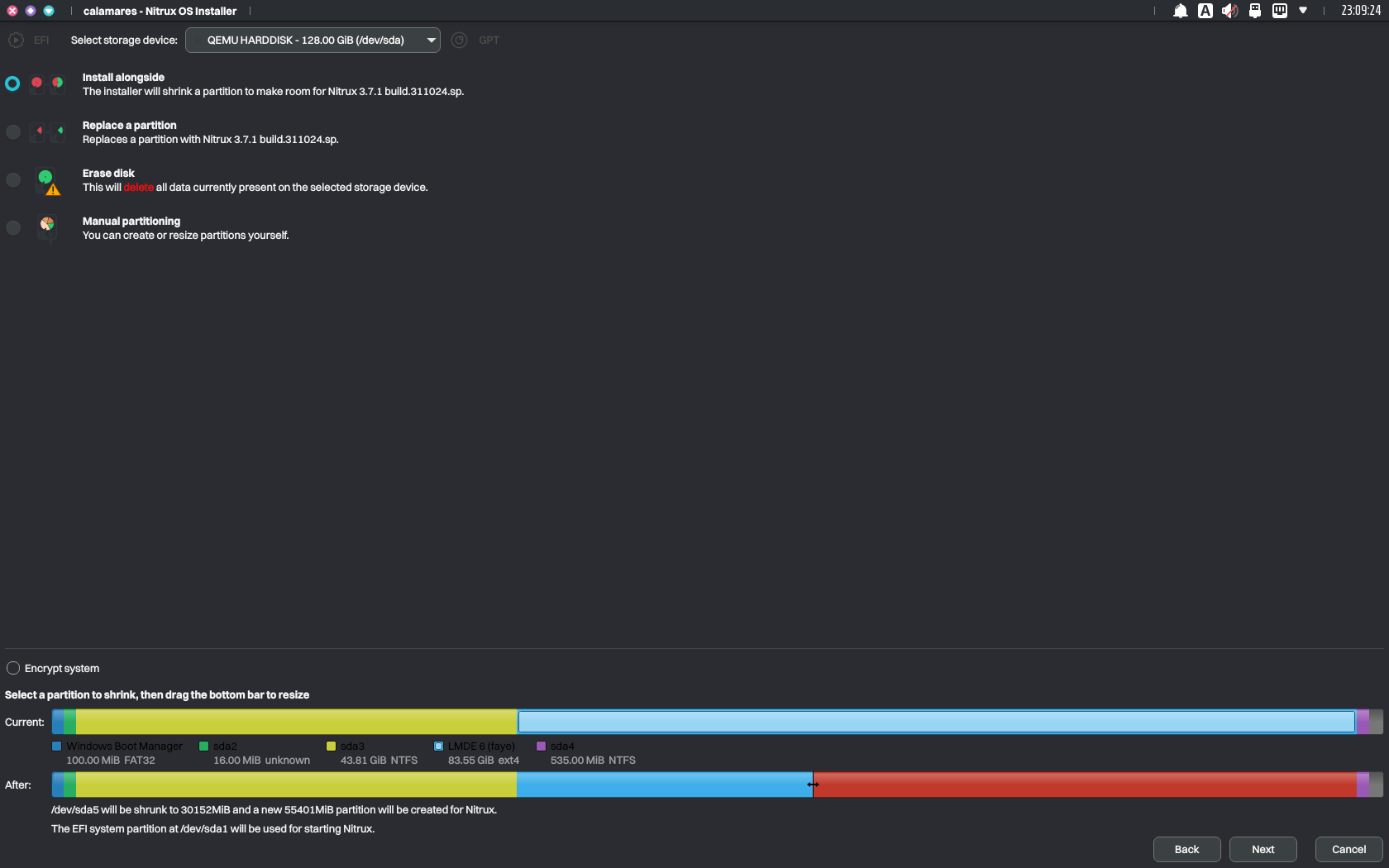
As before, use the slider to allocate storage for installing Nitrux within Calamares. Image for reference.
-
- Or use Windows or another Linux distribution to shrink an existing partition to create unallocated space. Then, launch the installer, select “Replace partition,” and click the unallocated space.
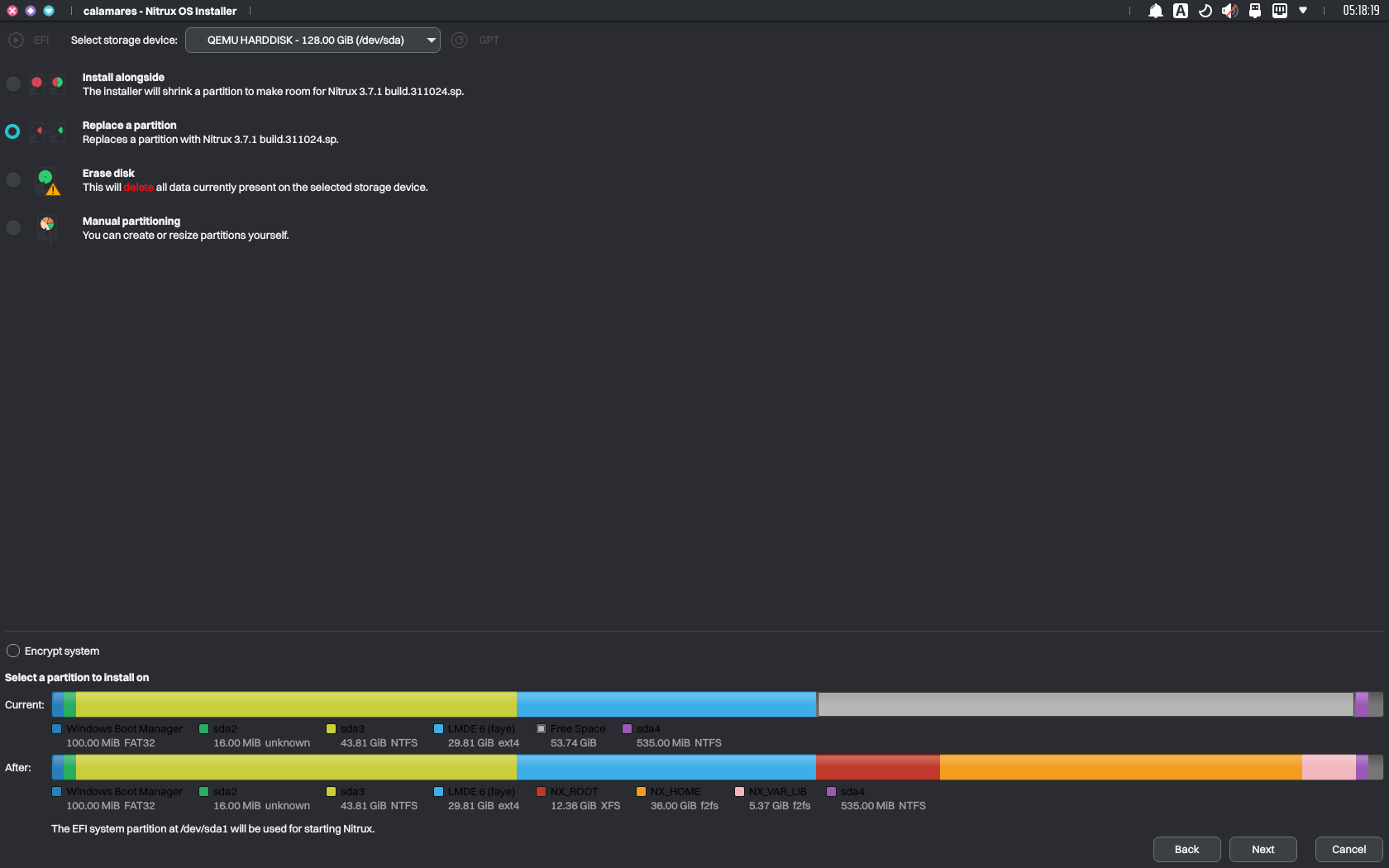
Using unallocated space to install Nitrux. Image for reference.
-
- Alternatively, select “Manual partitioning” and follow our partition layout table.
Regardless of the selection, once the installation is complete, GRUB will display entries to boot into Nitrux, Windows (Windows Boot Manager), and other Linux distributions upon reboot.
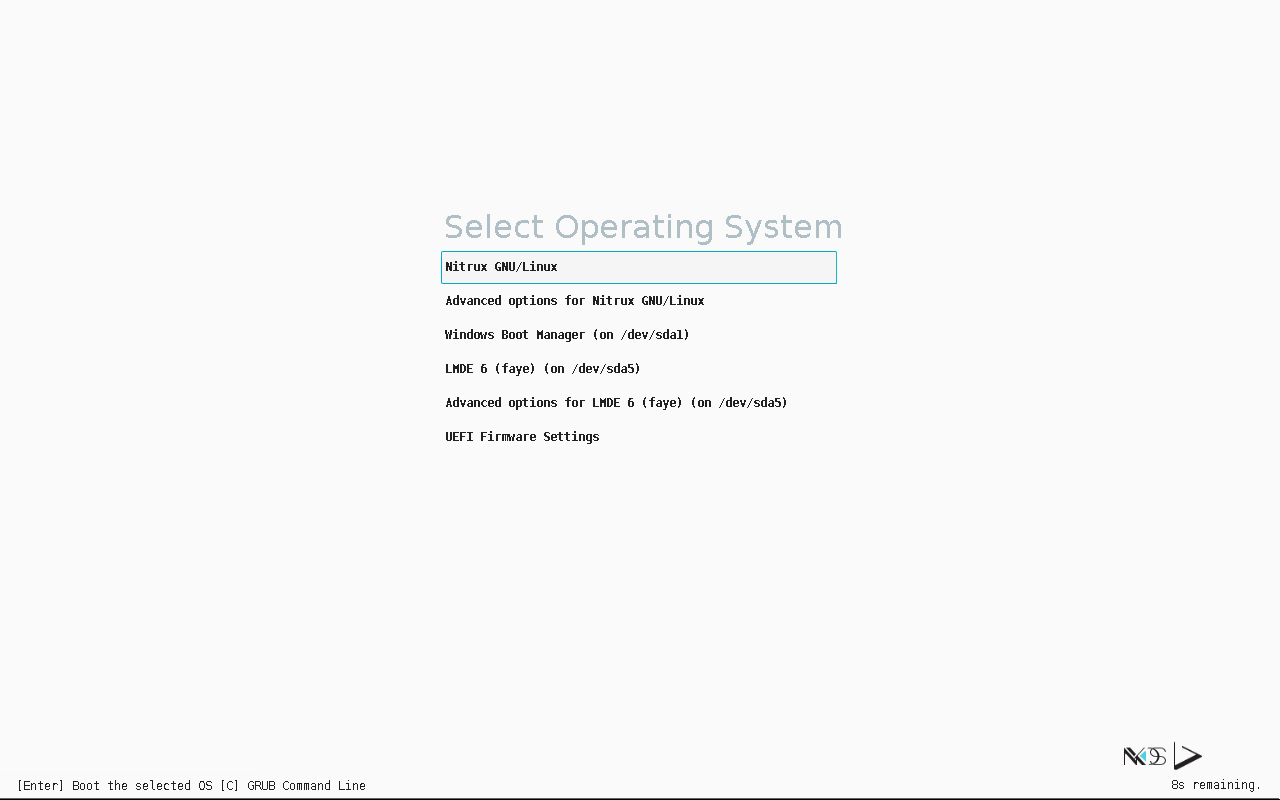
Upon reboot, GRUB will display an entry for each available OS. Image for reference.