Nitrux at a glance
Nitrux is a 64-bit-only Linux desktop distribution built from Debian. It uses the Hyprland window compositor and our bespoke Wayland-focused Workspace Environment.
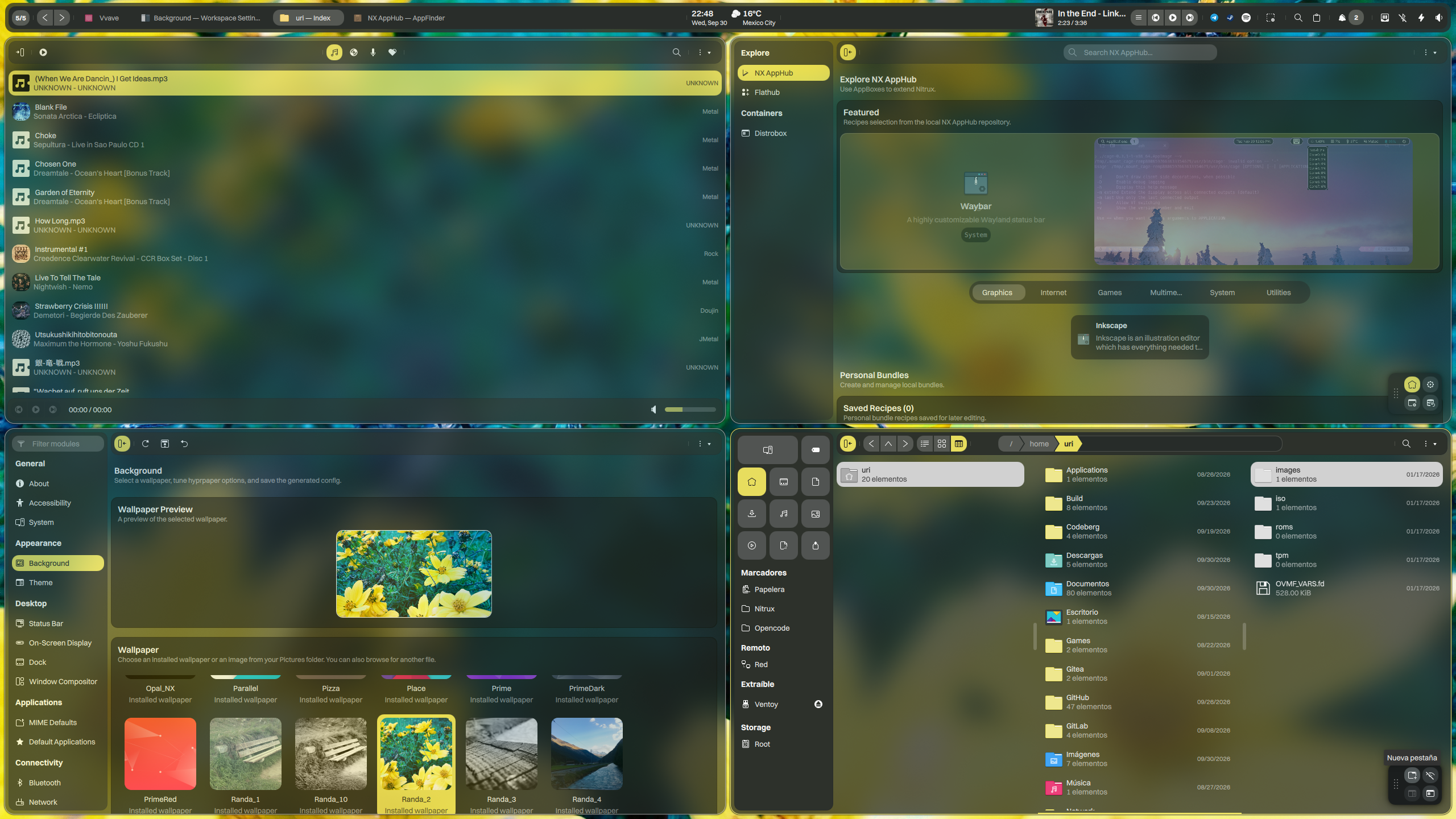



Nitrux is a 64-bit-only Linux desktop distribution built from Debian. It uses the Hyprland window compositor and our bespoke Wayland-focused Workspace Environment.

Nitrux is up to date, thanks to recent Debian releases and the performance-oriented kernel configurations we chose. Nitrux includes additional performance enhancements, such as allowing “inodes” to be placed anywhere on the filesystem, zstd compression at level 6, and checksum verification of compressed blocks to prevent corruption.
Additionally, Nitrux enables asynchronous garbage collection by default to avoid synchronous updates to access or modification times and zswap. Nitrux modifies the rate at which the kernel reclaims VFS caches, enabling asynchronous, non-blocking I/O, and reducing the aggressiveness of the kernel’s swapping out of anonymous memory relative to pagecache and other caches.

Nitrux is an immutable Linux distribution that uses NX Overlayroot, enabling us to deliver new distribution versions with greater accuracy. An immutable Linux system is a system that, once installed, cannot be modified. The root directory is immutable by default in Nitrux. It makes the system more resistant to tampering and malware and simplifies maintenance.
Capability through specialization—empowering any task that aligns with its design philosophy and performance-driven workflow.
Nitrux handles everyday computing tasks, but we did not create it as a traditional, general-purpose desktop environment. It is a specialized, immutable workstation built for users who prioritize architectural resilience over legacy conventions. We do not design for beginner-oriented workflows or traditional desktop paradigms. Instead, Nitrux demands technical autonomy, offering the efficiency of a tiling workflow and the stability of an immutable core. If you prefer a zero-learning-curve experience, this tool isn’t for you. If you want raw performance and precision, it is.
Nitrux is for users who want to drive the machine, not just ride in it.

MauiKit is a set of templated controls and tools based on QQC2. MauiKit helps you quickly build UIs that follow the Maui HIG and work across platforms such as Android and Linux, with seamless transitions between mobile and desktop as the line between desktop and mobile blurs. Using the same codebase, Maui Apps provides users with a single app across multiple form factors. Do what would otherwise take hundreds of lines in a few lines, from concept to the end user’s screen—the fastest way to create convergent apps.
Components are ready to be easily used and work on Linux
Easily create applications that work on mobile devices and desktop computers.
MauiKit is a free and open-source project, and you can use, copy, merge, publish, and distribute the framework without significant limitations.
Experience streamlined development with zero-time setup, using the technologies you already know and love—Qt, QML, and C++.
Various UI components designed for mobile and desktop apps. MauiKit provides tons of elements.
**Nitrux uses a custom fork of MauiKit tailored specifically for Linux and the hardware requirements of our distribution. This fork does not target other platforms.
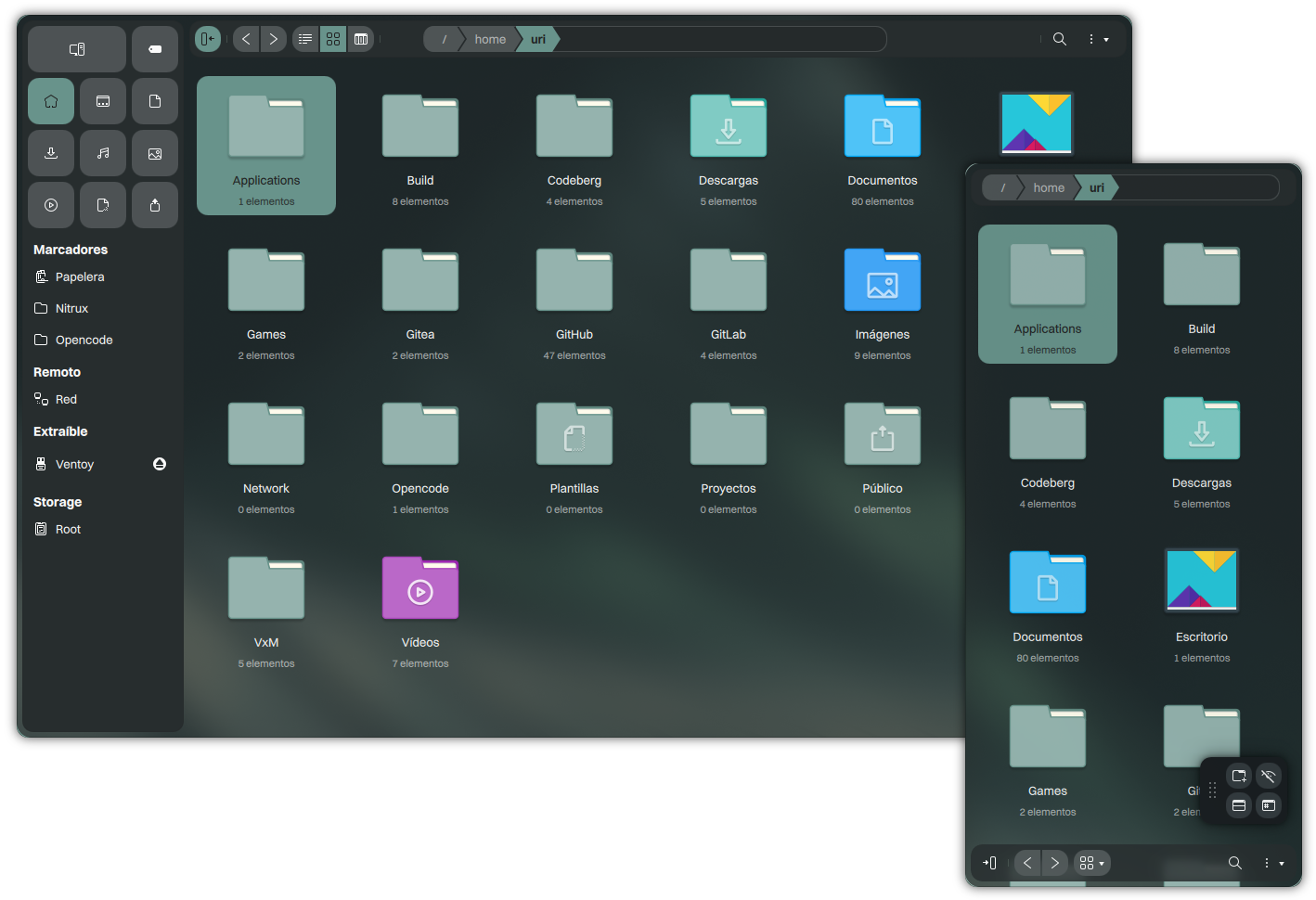
An immutable Linux system remains unchangeable after installation, providing greater certainty. In Nitrux, the root directory remains immutable, safeguarding its original content. This design choice offers notable advantages, such as:
This approach also strengthens security against tampering and malware and simplifies system maintenance by minimizing potential points of failure. The core benefits include shielding against update failures and user errors by rendering essential components read-only and streamlining maintenance.
NX Overlayroot uses OverlayFS, a union filesystem. OverlayFS presents a unified view of two different filesystems by overlaying one filesystem on top of another. OverlayFS presents the object from the upper filesystem and hides it from the lower filesystem if the object exists in both filesystems. It merges and presents the directory’s contents on the upper and lower filesystems if the object is a directory.
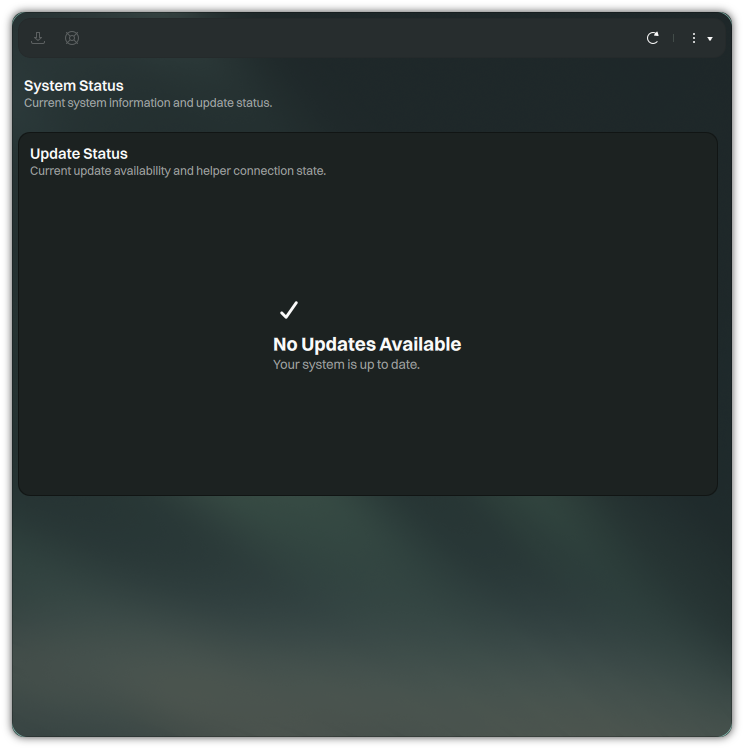
In today’s dynamic OS landscape, seamless updates and reliable rollbacks matter more than ever. The Nitrux Update Tool System streamlines distribution updates while ensuring a safety net against unexpected issues.
At its core, the Nitrux Update Tool System simplifies the update process:
In a world prioritizing security and convenience. Its backup precision, efficient updates, and stress-free rollbacks offer a smoother, safer, and streamlined way to keep systems current and secure.

Nitrux applies extensive kernel and system tuning for responsive, high-performance computing. Below, we highlight some of the tuning we’ve applied by default compared to our upstream base.
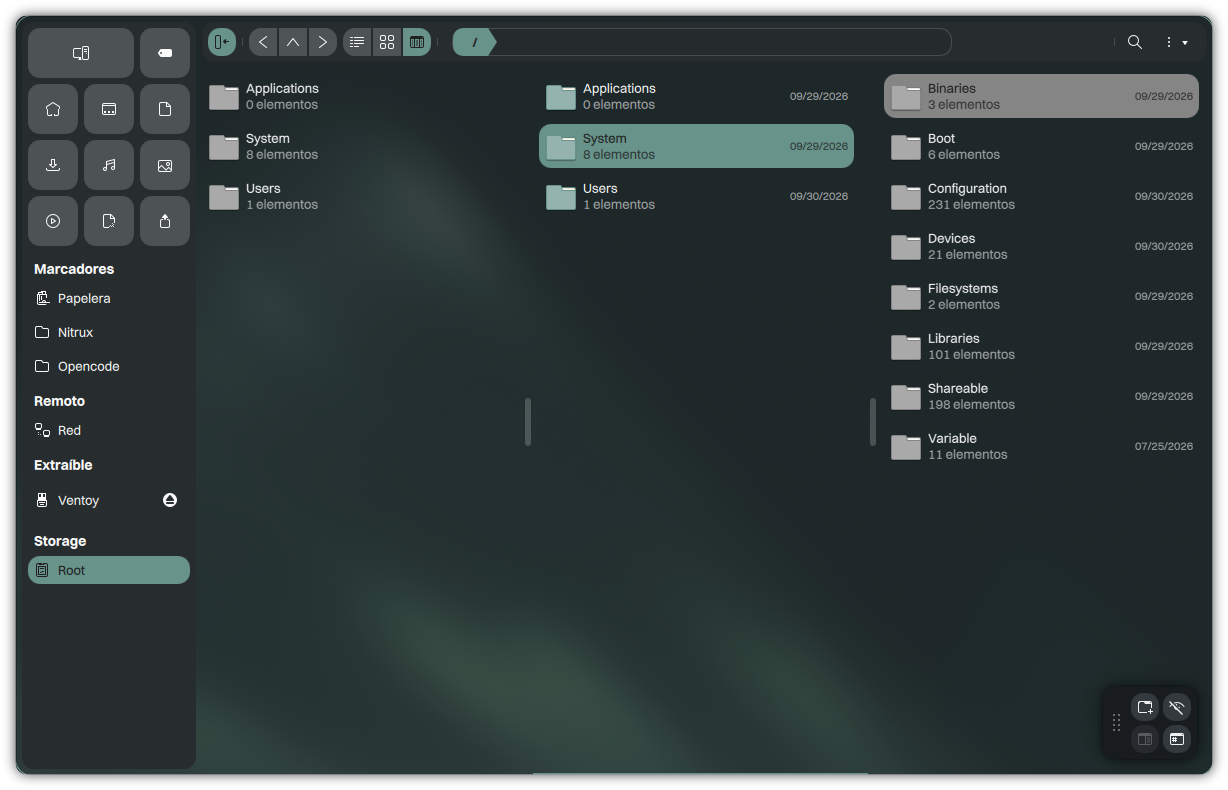
Aesthetic FHS changes the root directory structure to make FHS directories more human-readable and easier to understand. Aesthetic FHS is an initial implementation of a proposal for a new filesystem hierarchy standard for Nitrux.
The structure of the Aesthetic FHS is as follows:

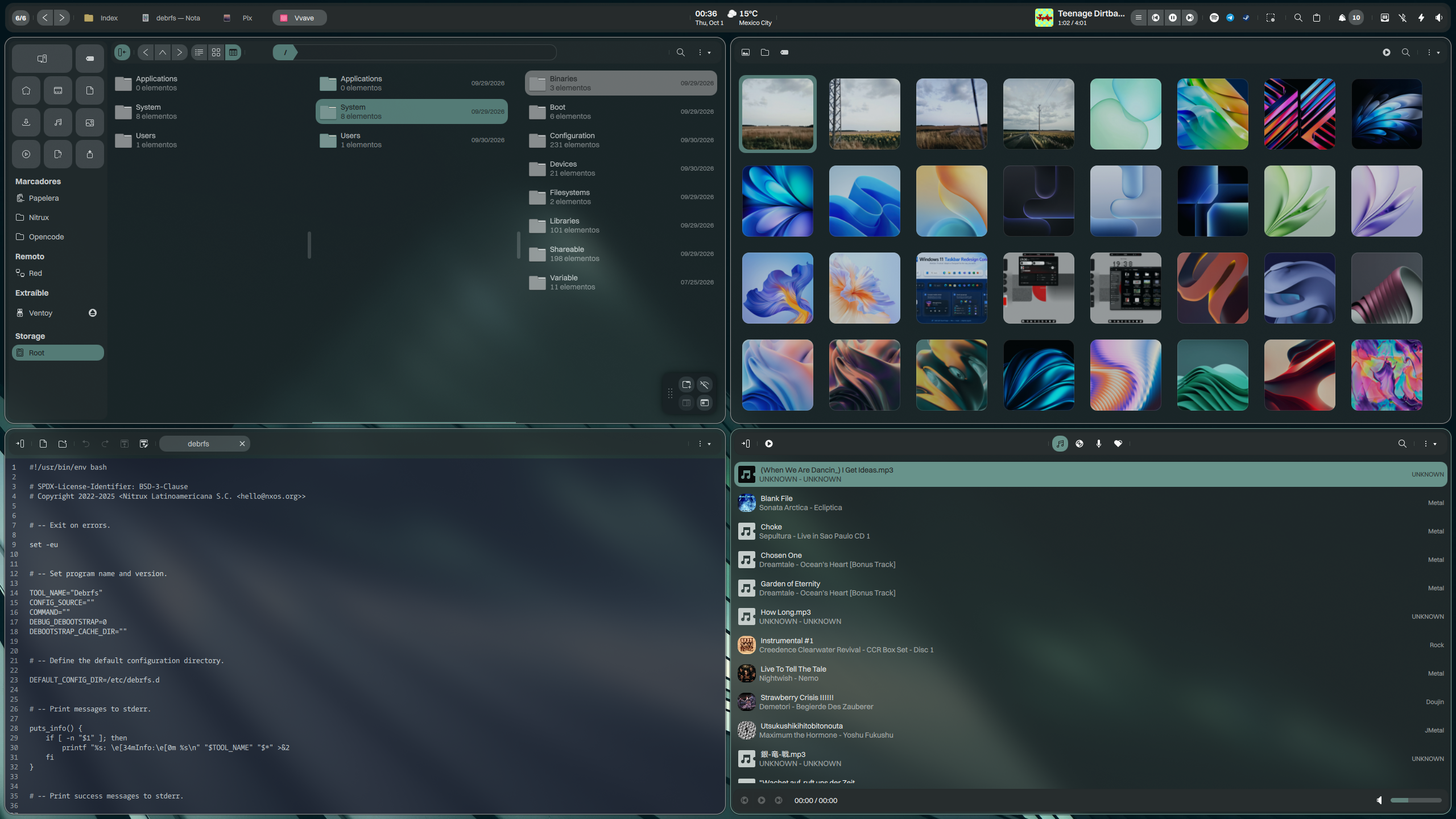
Nitrux ships with essential apps and services for daily use. Nitrux includes a suite of convergent applications called Maui Apps. We use MauiKit, our convergent, cross-platform UI framework, to create these applications. Nitrux also includes a selection of applications carefully picked to perform the best when using your computer:
Index, the file manager.
Nota, the simple text editor.
Station, the terminal emulator.
Pix, the image gallery.
VVave, the music player.
Shelf, the light and straightforward PDF viewer.
Fiery, the web browser.
Cinderward, the easy firewall.
Wirecloak, the simple VPN client.
Workspace Settings, the primary control center.
Ark, the KDE file archiver.
Partition Manager, the KDE partition management utility.
VxM, the hypervisor orchestrator to run hardware-accelerated virtual machines in Nitrux.

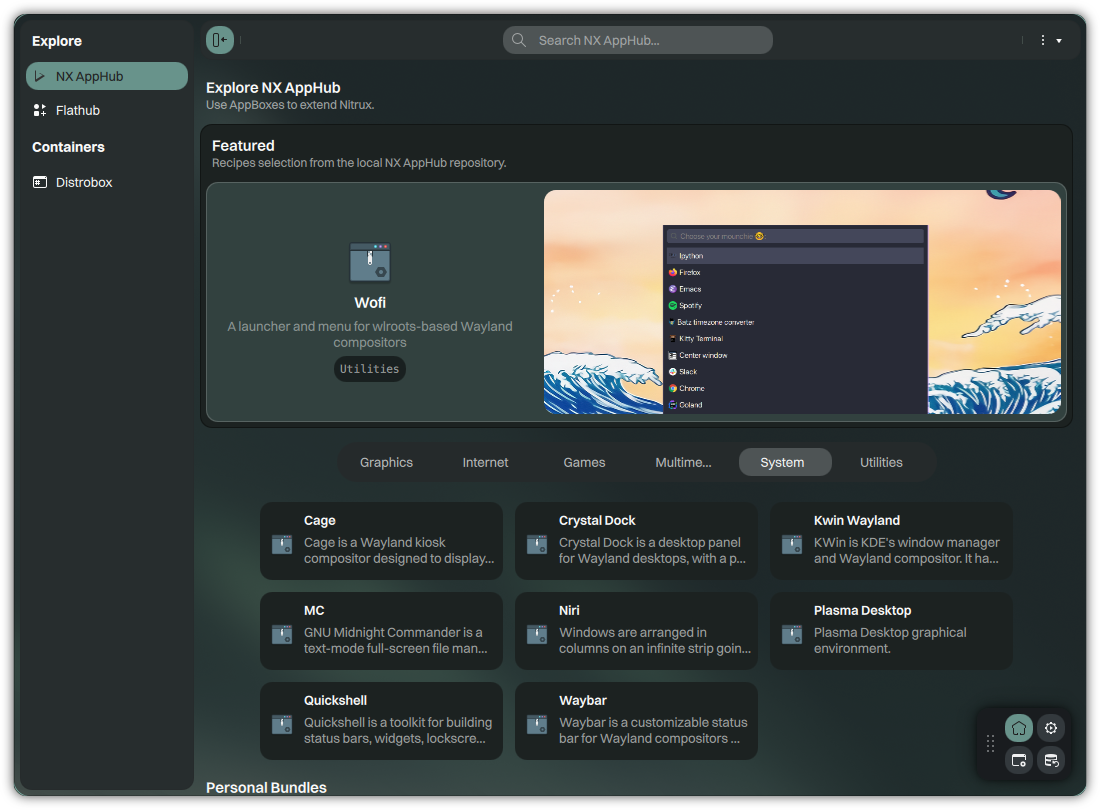
Nitrux is built around NX AppHub, its system for delivering, integrating, and managing applications.
NX AppHub forms the foundation of Nitrux’s user-level software management system, with a reproducible, declarative, rootless model designed specifically for Nitrux’s immutable architecture and built around AppBoxes—our vision of modern, smaller, faster, Nitrux-native application bundles.
Nitrux also supports Flatpak, allowing access to the extensive Flathub application catalog.
Flatpak is a system for building, distributing, and running sandboxed desktop applications on Linux. It provides a consistent environment for apps across distributions, letting developers build applications that run on any Linux distribution without accounting for each distribution’s specific quirks or dependencies.
In addition to AppBoxes and Flatpaks, Nitrux also supports containers, letting users keep using package managers while respecting Nitrux’s philosophy.
Distrobox is based on an OCI image and implements concepts similar to ToolBox, built on Podman and OCI-standard container technologies.
Users can run containers from any Linux distribution (Arch, Fedora, Debian, openSUSE, NixOS, Gentoo, and many more), including multiple containers simultaneously; there are no limitations. Distrobox also allows users to export software that uses a desktop launcher, automatically integrating it into the application menu and picking up the host’s artwork, such as application themes and icons.
Nitrux takes extra steps to keep your personal information safe. Below, we highlight some security features and policies we enable by default compared to our upstream base.
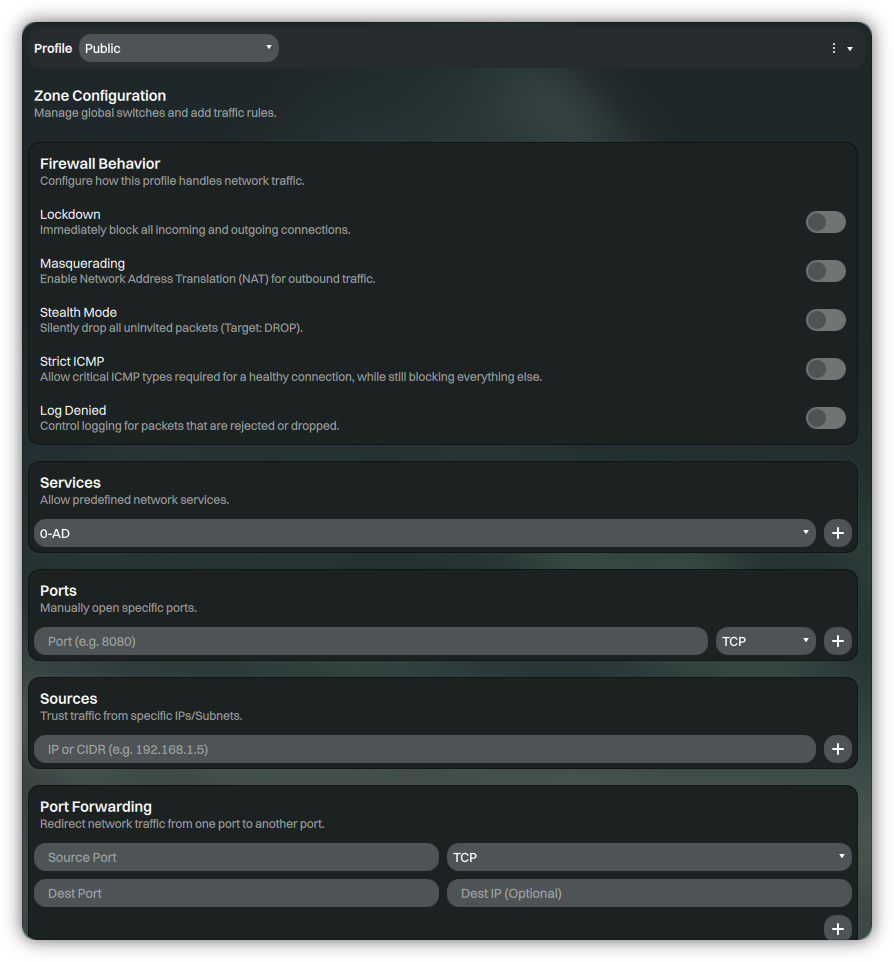
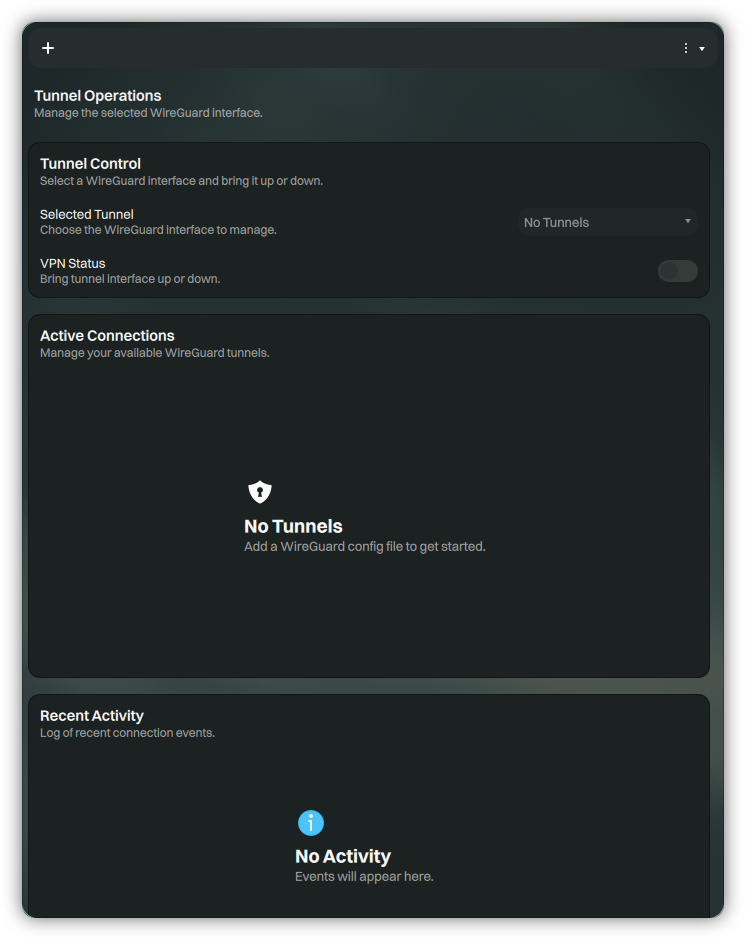
sudo.Nitrux includes Cinderward, a simple, no-nonsense, init-agnostic, Wayland-friendly GUI for firewalld built with MauiKit, providing an intuitive interface for managing day-to-day firewall rules without the complexity of firewalld’s command-line tooling. Additionally, Wirecloak, a modern, native WireGuard VPN client for Nitrux, is also built with MauiKit. It provides a user-friendly interface for managing VPN tunnels while securely integrating with the system’s immutable root filesystem.
Nitrux includes and uses AppArmor by default, which, along with Firejail, can provide a more robust configuration. Other executables have AppArmor profiles enabled. In addition to AppArmor and Firejail, we include Bubblewrap, a low-level, unprivileged sandboxing tool used by Flatpak and similar projects. By default, we include ~117 AppArmor profiles and ~1247 Firejail profiles.
Nitrux offers multiple ways to encrypt data, including block-device (dm-crypt) during installation and filesystem-level support for use with userland tools like fscrypt.
**Despite the efforts and improvements in each release, we’re not claiming to be security or forensic experts, or that the distribution is “impenetrable” or “unhackable,” so there’s no misunderstanding.

X | Bluesky | Facebook | YouTube | GitHub | Instagram | Telegram | Mastodon | Threads | Gitter | Reddit | E-mail
Documentation | Changelog | Known Issues | Tutorial | PSA | Blog
© 2017-2026 Some Rights Reserved, made with ♥ by Nitrux Latinoamericana S.C.
Any trademarks or logos used on this site are the property of their respective owners.
Check our Privacy Policy for more information about how we handle your data when visiting this website.