Welcome to the #NXWorld
Hi there! meet Nitrux. Powered by Linux, KDE Plasma 5, Qt and Nomad Desktop.

or
#YourNextOS
Nitrux is a Linux distribution based on Ubuntu suitable for laptops and desktop computers. Nitrux provides all the benefits of the Ubuntu operating system combined with a focus on portable, distributable application formats like AppImages. Nitrux uses the development branch of Ubuntu as a basis using only the core system and then slowly building up to ensure a clean user experience. Nitrux is suitable for newcomers to Linux as well as *nix experienced users. Nitrux uses KDE Plasma 5 and KDE Applications, we also use our in-house software suite Nomad Desktop adding to the user experience.
What could I use Nitrux for?
Well — just about anything! It can perform many functions that any computer could use. Surf the internet, word process, email, spreadsheets, listen to music, watch movies, chat, games, coding, photo editing, content creation, whatever you want!.
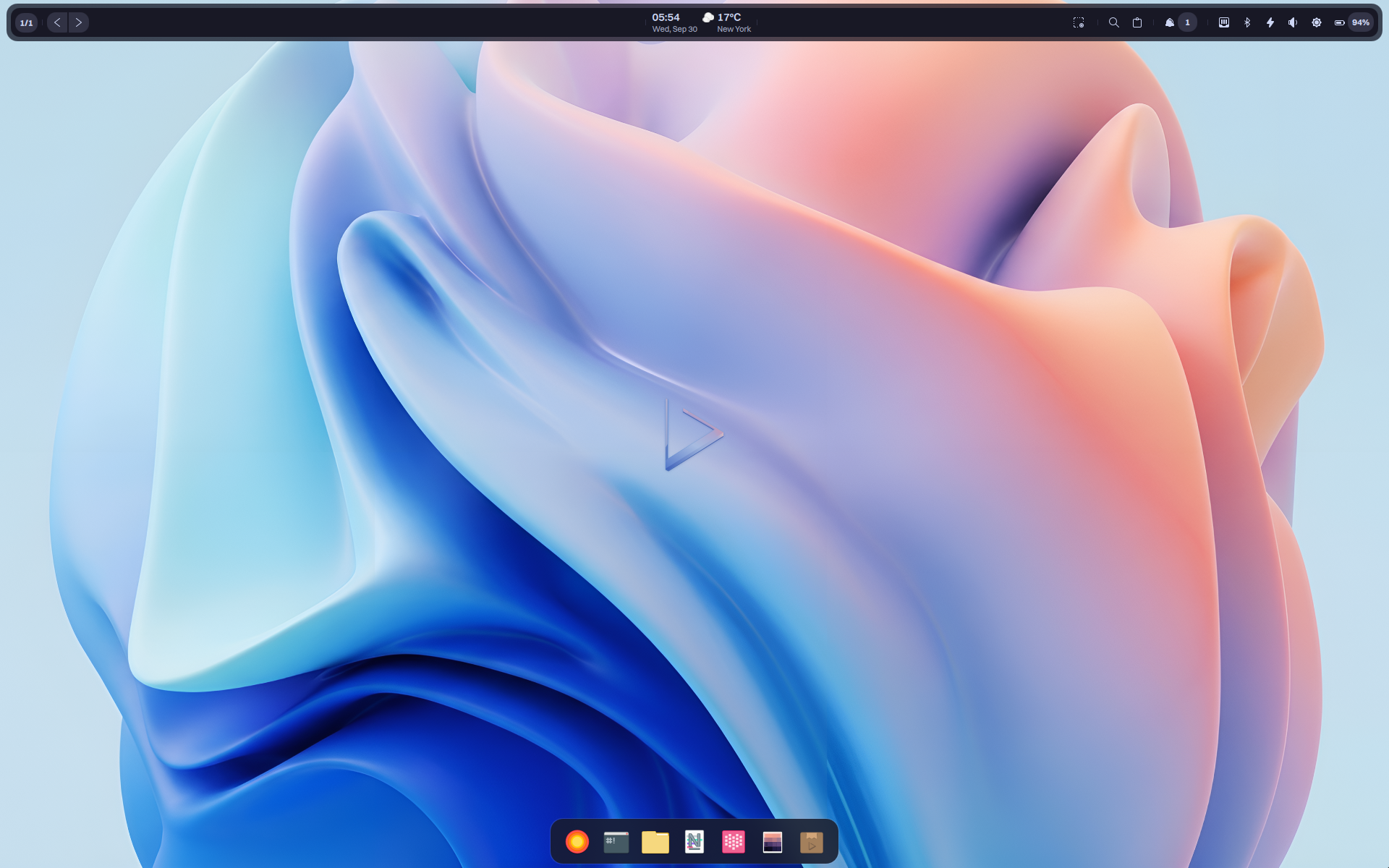
Introducing Nomad Desktop.
Using a special blend of aesthetics and functionality, Nomad Desktop aims to extend Plasma to suit new
users without compromising its power and flexibility for experts.
Nomad System Tray
The System Tray replaces the traditional Plasma version.
Notification Center
For easy access to your notifications the System Tray features an area specifically for them.
Quick access to networks
Easily access and edit your network preferences.
Easy multimedia controls
Combining the volume controls and the media controls of Plasma for simpler operation.
Everything you need to get started.
Nitrux is a complete Operating System that ships the essential apps and services for the daily use: office applications, PDF reader, image editor,
music and video players, etc. Nitrux ships with select KDE Applications by default along our own custom applications. KDE Applications are a set
of applications and supporting libraries that are designed for KDE Plasma 5. We also include non-KDE or Qt applications like Chromium and ONLYOFFICE
that together create a friendly user experience.
Available out-of-the-box
Nitrux includes a selection of applications carefully picked to perform the best when using your computer:
-
- Dolphin, file manager.
- Kate, advanced text editor.
- Ark, archiving tool.
- Konsole, terminal emulator.
- Chromium, web browser.
- Babe, music player.
- VLC, multimedia player.
- ONLYOFFICE, collaborative office suite.
Explore a universe of apps in Nitrux.
The NX Software Center is a free application that provides Linux users with a modern and easy way to manage the software installed on their open
source operating systems. It has been specifically engineered to run on top of the Qt desktop environments. It is your new one stop shop for all
things app related. Designed from the ground up to be easily handled by users as well as easily integrated by distributions. Its features allows
you to search, install and manage and AppImages. AppImages are faster to install, easier to create and safer to run.
AppImages aim to work on any distribution or device, from IoT devices to servers, desktops to mobile devices.
The NX Software Center is all about new app delivery technologies and it’s focus is to empower the user to browse, test, install apps and update
their installation without fear of disastrous results. Installing an application is easy! When you’ve found the application that you want, simply click
the “Install” button in the and it will begin to download and install. With this software you will be able to view installed applications, remove
them, view available updates for installed applications, find and install new apps.
Securing your desktop and workstation.
Nomad Firewall is a firewall tool for Linux uses the Qt toolkit. You can use the wizard to create a basic firewall, then streamline it further using the dynamic rules. You can open and close ports with a few clicks, or monitor your services giving access only to a select few. Nomad Firewall is an open source application that provides users with a graphical user interface (GUI) for the ufw (Uncomplicated Firewall)/iptables command-line interface, which lets users to manage Linux kernel’s packet filtering system.
Key features include the ability to use profiles, quickly enable or disable the firewall, easily set incoming and outgoing rules, view which applications are listening on which ports, as well as to effortlessly add or remove rules. With a single click of a button, users will be able to enable or disable the firewall as well as to set incoming and outgoing rules (Allow, Deny, Reject). It is also possible to easily create a rules as well as to add simple or advanced firewall rules, where you can set default policy, category, subcategory and application.
Under the hood the software is written entirely in the C++ programming language. However, its graphical user interface is written using the QML GUI toolkit. It is available as a KCM for the Plasma 5 desktop environment.
Our Reviews.
See why people are getting in with Nitrux.
Your feedback is what makes Nitrux get better each release and we absolutely would love to hear back from you, our users. If you’re still unsure about downloading and installing Nitrux on your computer check the reviews below.
Reviews from YouTube.
We’d like to thank every content creator that took the time to give Nitrux an honest review or an overview for their viewers. Below are their videos.
Nitrux Linux: Most Beautiful Linux Distribution? — By It’s FOSS – Linux Blog
Nitrux OS beautiful KDE Plasma — By Linux Network
Nitrux OS 1 0 2 (NXOS) Review — By Zatiel
Nitrux Linux – What’s what – submitted on Distrowatch 2017-06-14 — By Basic IT Stuff
Nitrux 1.0.2 overview | Change The Rules — By Riba Linux
Nitrux OS 1.0.5 — By Linux Network
The Wait is Finally Over.
Help us find issues and fix bugs within the operating system, download our First Major Release and give it a try, we’re looking forward to your feedback.
Supported Platform: AMD64/x64
Size: 1.27GB
Sponsor us. Help Nitrux achieve more, together.
We build Nitrux because we love it and there is no pressure to sponsor, however we do welcome anything that you can spare. By sponsoring Nitrux you contribute by giving the development team a regular and predictable income to cover our hosting, development and hardware testing costs. Donated funds are used to finance the needs of the project including, but not limited to, hosting/server costs, equipment, and funding the work of the people behind it. You can donate any amount you want. The team behind Nitrux will appreciate all donations as they will help bring this wonderful project to the same level of quality as that of the much larger, top-tier projects.
We also welcome cryptocurrencies!.
Scan the QR code below to launch your favorite client and donate 0.025 eth to Nitrux. Alternatively, copy and paste the Ethereum address into your client to donate an amount of your choice.

0x99d15100af19a426bad0f972fdc2f0ba1f55fbb0
Scan the QR code below to launch your favorite client and donate 0.003 btc to Nitrux. Alternatively, copy and paste the Bitcoin address into your client to donate an amount of your choice.

1P7MMurX3sJcZjTp11djMKvdZvRU1rYbur
Scan the QR code below to launch your favorite client and donate dcr to Nitrux. Alternatively, copy and paste the Decred address into your client to donate an amount of your choice.

Dse4jwMb4eDECbg3qBsBKuuNLBRUEDNL9nx
Scan the QR code below to launch your favorite client and donate 0.04 xmr to Nitrux. Alternatively, copy and paste the XMR address into your client to donate an amount of your choice.

Address: 45t1QacLDwY1fFtEW55cid6BWMLv4qHrvSMNjQstxdyxem
RrPFmeagN6zGR6ATR2AtTUZerWHsGh5VbHEAhjAqgw12c9RQE
ID: a65fa7e0d4e64d5b
Latest News.
17200
430
877
77
By sponsoring Nitrux devlopment your brand will be displayed here potentially reaching thousands of visitors daily. Contact us at hello@nxos.org for more information.